Best AP automation software for construction, property management and field service (2026)
 Accounts Payable
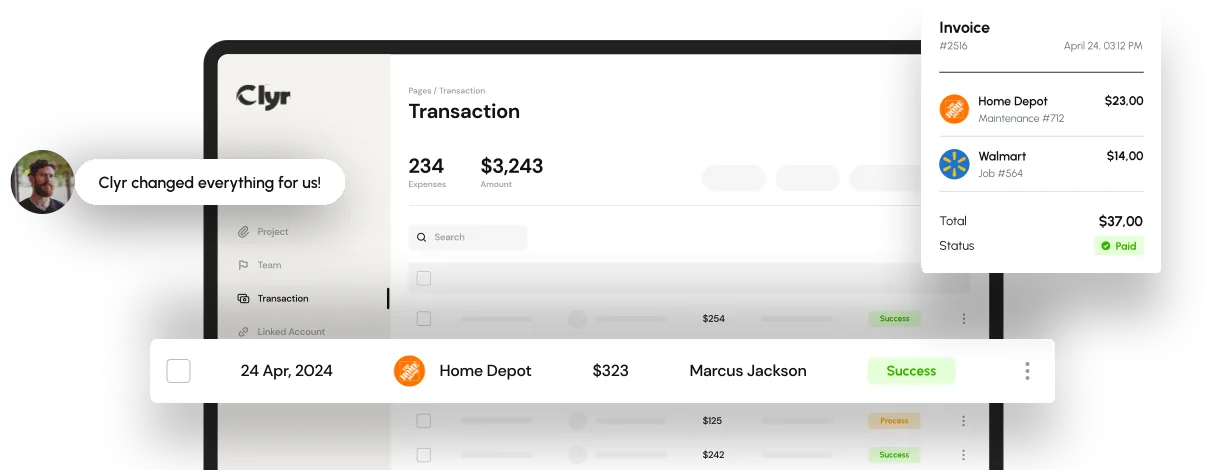
Clyr is the best AP automation software for construction, property management and field service companies. It captures vendor and subcontractor bills, codes them to the job, cost code, property or GL with rules and AI, matches POs, routes approvals and pays by ACH, check or card. It also runs card spend on the Amex, Visa and Mastercard cards you already have, in the same system.
We ranked these on what field and property companies need, not on generic feature counts. Clyr is our product; it’s #1 on this list for the reasons below.
The best AP automation software at a glance
Clyr, plus the four kinds of tools you’ll find on most other “best AP software” lists.
| # | Tool | What it is | Card spend on your existing cards | Coding to jobs / properties | Typical setup |
|---|---|---|---|---|---|
| 1 | Clyr | AP automation plus card expense management in one system | Yes: a live feed on your Amex, Visa and Mastercard | Jobs, cost codes, properties, units and GL, by rules and AI, line by line | About 15 minutes of admin setup; staff onboard by text |
| 2 | AP-only invoice automation tools | Invoice capture, coding and approvals on top of your ERP | Not the focus; usually a second tool or add-on | Through the ERP or accounting system fields | Connected to an existing ERP |
| 3 | AP platforms with a separate card product | AP (often with AR) on per-user plans | A separate product on the vendor’s own card | Depends on the plan and the accounting sync | Per-user plans; separate sign-up for cards |
| 4 | Industry AP platforms | AP automation and supplier payments with industry editions | Not the focus | Through the connected accounting or property system | An implementation project, often for larger AP teams |
| 5 | New-card spend platforms | Bill pay inside a corporate card and spend platform | Built around the platform’s own cards | Varies by platform | New cards issued; spend moved onto them |
Clyr is built to code your vendor bills and the swipes on the cards you already have to the same job or property, in one system.
How we chose: what construction and PM companies need from AP automation
Generic lists score feature counts. We scored what decides whether AP automation software works for a contractor, property manager or service company:
- Capture. Bills arrive by email or upload and are read without retyping.
- Coding. Every bill line lands on a job, cost code, property or unit, not just a GL account.
- Approvals. Rules by amount, vendor, property or team, and routing to the right project manager.
- PO matching. Bills are checked against the purchase order before anyone pays them.
- Payment. ACH, check or card, from your own accounts.
- Sync. Two-way sync with accounting and with the field or property system.
- Construction controls. Retainage, lien waivers and certificates of insurance (COIs) checked before payment.
- Bonus. Card spend and utility bills in the same place as your bills.
For a longer buying checklist, see our guide to selecting accounts payable software.
1. Clyr: best AP automation for construction, property management and field service
Clyr AP automation covers the whole bill cycle, from invoice processing to approval workflow to payment. It also runs card expense management on the cards you already have.
Bills and card swipes share one approval queue, one coding engine and one budget-vs-actual view per job or property. Every cost lands in the same place, whether it came in as an invoice or a swipe.
- Capture and code. AI suggests the job, cost code, property, unit and GL from each vendor’s history, backed by coding rules. A person reviews anything unsure.
- Line-item coding. Split one bill by line, give each line its own job and cost code, and it syncs to accounting that way.
- Routing to the PM. Bills route to the job’s project manager, pulled from Procore, Buildertrend or ServiceTitan. Approval rules cover amount, vendor, property or team.
- Retainage. Record a bill with retainage withheld, pay only the net amount now, track the retained balance, then release and pay it later.
- Lien waivers and COIs. Store them per vendor or per payment. Clyr warns about or blocks a payment when a waiver is missing or a COI has expired.
- Match and pay. PO matching, then payment by ACH, check or card. Vendors onboard themselves, and 1099 e-filing is built in.
- Card spend. A live feed on your existing Amex, Visa and Mastercard, with receipts by text or mobile app.
- Utility bills. Utility bills retrieved from provider portals, coded to the property and unit, and run through the same approval path as vendor bills.
Integrations: QuickBooks Online (two-way), Xero, NetSuite, Sage Intacct, Procore, Buildertrend, ServiceTitan, Jobber, Buildium, Rent Manager and AppFolio (two-way sync). See all integrations.
Setup: about 15 minutes of admin setup, and staff onboard by text the same day. Built for construction, property management and field service companies and their bookkeepers.
2. AP-only invoice automation tools
- What it is: software that automates the invoice inbox (capture, coding and approval routing) on top of your accounting system or ERP.
- How it’s set up: coding follows the ERP’s fields. Card spend, where offered, is an add-on or a second tool.
- Compared with Clyr: Clyr codes bills and the swipes on your existing cards to the same job or property, in one system.
3. AP platforms with a separate card product
- What it is: AP, often with AR, sold on per-user plans, usually with fees per payment.
- How it’s set up: card spend runs in a separate product on the vendor’s own card, typically with its own credit application.
- Compared with Clyr: Clyr runs AP and card spend in one product, on the Amex, Visa and Mastercard you already have.
4. Industry AP platforms
- What it is: AP automation and supplier payments, with editions for industries such as real estate and construction.
- How it’s set up: usually aimed at larger AP departments, with an implementation project and a connection to your accounting or property system.
- Compared with Clyr: Clyr adds card spend on your existing cards, and setup takes about 15 minutes of admin time.
5. New-card spend platforms
- What it is: bill pay inside a corporate card and spend management platform.
- How it’s set up: card spend runs on the platform’s own cards, so you issue new cards and move your spend onto them.
- Compared with Clyr: Clyr keeps the cards you have, with no new cards to switch to, and codes bills and swipes to the same job or property.
Want a side-by-side on a specific tool? See our comparison pages.
AP automation vs. card expense software: why field companies need both
Vendor invoices are only half of what a job or property costs. The other half is the fuel, materials and supply-house runs paid on a card in the field.
AP-only tools leave that card spend to a second product. Card platforms ask you to move to their card first. Either way, a job’s costs end up split across two systems.
Clyr covers both on the cards you already have. Bills and swipes are coded to the same job, cost code or property, approved in one queue and synced to accounting.
How much does AP automation software cost?
Most AP tools use one of four pricing models:
- Per user, per month, often with separate fees per payment.
- Per invoice or document processed.
- Quote-based, priced on your bill volume.
- Free or low-cost software funded by a card program, with fees on payments.
Price the whole stack, not the AP tool alone: the AP tool, the expense or card tool next to it, and the hours spent reconciling the two.
Related reading: the accounts payable process and invoice approval workflows.
See your own bills coded.
Book a 20-minute demo and watch your vendor bills and card spend coded to jobs and properties before the call ends.
FAQs
For construction, property management and field service companies, Clyr. It captures and codes vendor bills to jobs and properties, routes approvals, pays by ACH, check or card, and handles card spend on the cards you already have, in the same system.
One that syncs with QuickBooks or Xero, sets up in a day and doesn’t need an ERP project. Clyr syncs two ways with QuickBooks Online, also connects to Xero, and takes about 15 minutes of admin setup.
Clyr runs AP and a live feed of your existing Amex, Visa and Mastercard in one system, with receipts by text or mobile app. Some other tools pair AP with their own card program, which means moving your spend onto new cards.
Clyr does. It suggests the job, cost code, property, unit and GL from each vendor’s history, and a person reviews anything unsure. You can split one bill by line, give each line its own job and cost code, and it syncs to accounting that way.
AP-only tools automate the invoice inbox on top of your ERP. AP platforms with a card product sell card spend separately, on their own card. Card platforms run bill pay around their own cards. Clyr runs AP and card spend on your existing cards, coded to jobs and properties in the same system.
It depends on the tool. ERP-centred and enterprise tools usually plan an implementation project. Clyr takes about 15 minutes of admin setup, and staff onboard by text the same day.