
 Vendor management
Vendors, managed once, synced everywhere
Clyr keeps a single vendor record with categories, property assignments, and tax flags, synced two-way with your property management and accounting systems. Create the vendor once; every system agrees on who they are.
 What you get with Clyr
One vendor, one truth

One record, synced two-way
The vendor exists once in Clyr and syncs with Buildium, Rent Manager, and your accounting platform.

Categories and property assignments
Vendor metadata drives coding suggestions, so bills land on the right property with the right account.

1099 status tracked all year
Flag a vendor once, or inherit the flag from your PMS, and reportable totals accrue per tax year.

Payment onboarding by link
Send a link; the vendor enters their own ACH or check details. Nobody at your company handles routing numbers.
The problemVendor management for property managers and contractors
The same plumber exists three times in three systems with two spellings and one outdated W-9 status, and every bill routed to the wrong one costs a correction.
That mess has one cause: every system invites you to create the vendor again. Clyr removes the invitation. The vendor is created once, in one place, and two-way sync carries that single record into your property management and accounting systems, so the third spelling never gets born. Vendors created in your PMS flow into Clyr the same way; nobody re-keys anyone.
Two-way syncOne record your systems agree on
Vendor records sync two-way with Buildium and Rent Manager and with your accounting platform. Vendor creation also flows back into field-service platforms like Workiz and Hostaway where supported.
Whichever side the vendor is born on, the name, category, and assignments travel with them, and updates land everywhere the record lives.
Property management
Buildium and Rent Manager: vendors flow both directions.
Accounting
Your accounting platform keeps the same vendor list Clyr does.
Field service
Vendor creation flows back into platforms like Workiz and Hostaway.
 Vendor metadata
Metadata that codes your bills for you
A vendor tagged as a plumbing contractor assigned to two properties is not just tidy record-keeping. It is coding fuel: when their bill arrives, Clyr already knows the likely category, the likely properties, and the account their work usually lands in.
The vendor record does the remembering so your bookkeeper does not.
How coding rules and AI work →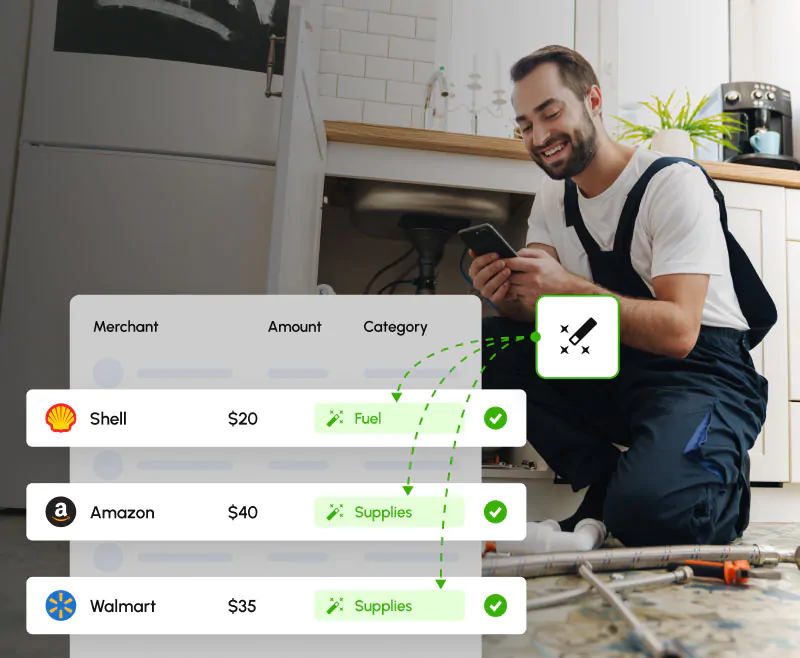 Tax time
1099 status that follows the vendor
Flag a vendor as 1099-reportable once, or inherit the flag from Rent Manager or Buildium, and reportable payment totals accrue per tax year automatically. When January comes, the totals are already built, and e-filing happens directly from Clyr.
OnboardingVendors onboard themselves for payment
Collecting bank details over email is a security incident waiting to happen. In Clyr, you send the vendor a link and they enter their own ACH or check details themselves. Nobody at your company handles routing numbers, and nothing sensitive sits in an inbox.
FAQFrequently asked questions
Which platforms does vendor sync cover?
Buildium and Rent Manager sync two-way, along with your accounting platform. Vendor creation flows back into field-service platforms like Workiz and Hostaway where supported; check the integrations hub for your platform.
How do vendors set up payment details?
You send a link; the vendor enters their own ACH or check details. Your team never handles bank information over email.
Can a vendor be assigned to specific properties?
Yes. Property assignments are part of the vendor record and feed coding suggestions.
Does a vendor’s coding history help with new bills?
Yes. Categories, assignments, and past coding drive suggestions when the vendor’s next bill arrives.
How does 1099 tracking work?
Flag the vendor once, or inherit the flag from your PMS. Reportable totals accrue per tax year, and forms e-file directly from Clyr.
How do vendors get paid?
Through your AP process, by ACH or check. Fast ACH clears in 2 business days, standard in 3 to 5.
Get a demoSee it on your own spend
Book a 20-minute demo. Bring your vendor list from any one system; we will show you what one synced record per vendor looks like across all of them.