






Fully Automated Bill Pay and Payment Solutions

Harness Clyr’s AI-powered automation technology to manage and pay bills and invoices with unparalleled efficiency and precision.

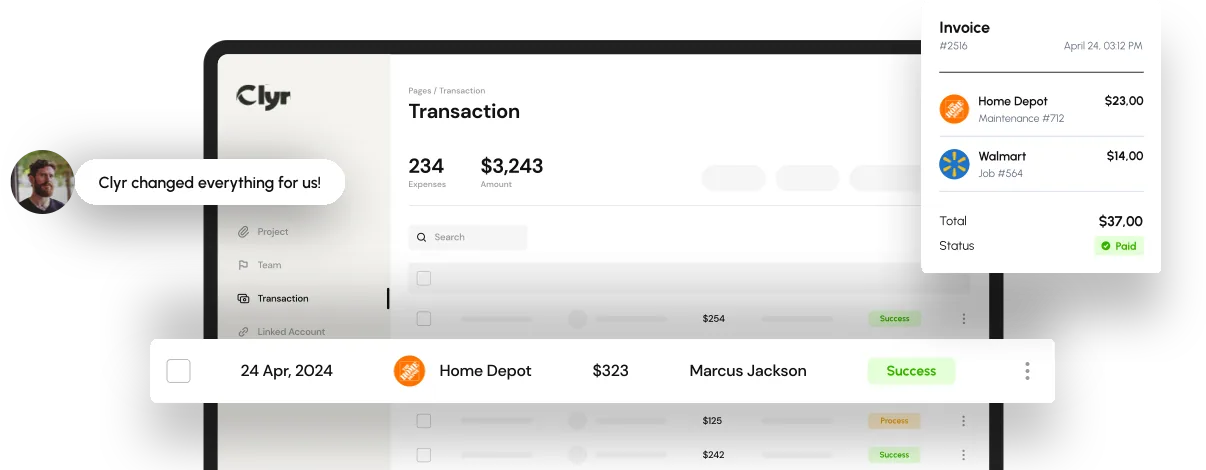
See Clyr’s receipt capture in action

Enhance Payment Processes with Smart Automation

Automate your AP, improve cash flow management, and save dozens of hours using our advanced technology.

Code with AI

Clyr will automatically suggest coding for bills based on previous bills from the same vendor, enabling quick and streamlined processing, as well as reducing manual data entry errors.

Custom Workflows and Approvals

Customize your approval workflows with our rule-based system, ensuring that payments are always in line with company policies. Configure criteria based on approval groups, payment size, vendor category, departments, or other parameters. We’ll facilitate stringent control and oversight.

Pay with Check, ACH or Card

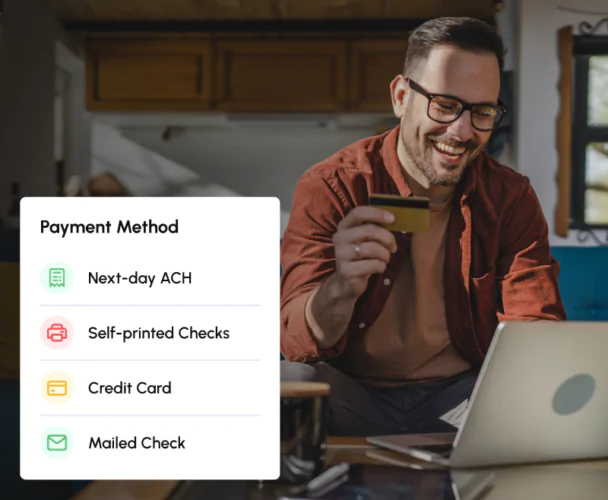
Pay vendors through your preferred method—next-day ACH, checks, or even credit cards. Our platform accommodates various payment methods, providing flexibility while optimizing transaction times and reducing processing costs.

Security

Securely manage your payments with advanced encryption and compliance standards. Our platform ensures that all transactions are protected and your financial data remains confidential.

CRM and ERP Integrated

Seamless two-way integration with 30+ CRMs and accounting systems. Zero manual or double entry.

PO Matching

Ensure invoices match purchase orders (POs) and goods receipts, flagging discrepancies in pricing or quantities.

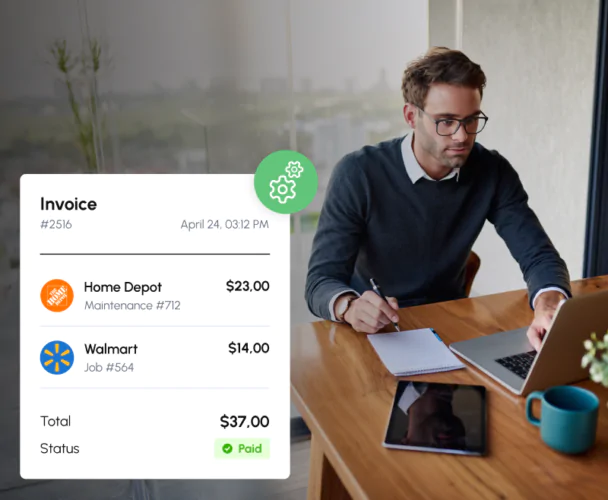
Man in glasses working on a laptop at a desk with a digital display of an invoice floating beside him.

Automated Vendor Payments

Eliminate manual processes with Clyr’s automated vendor payment system. Set up once and let our platform handle the rest. Payments are processed according to your specific workflow requirements and approval rules. We’ll ensure accuracy and compliance with your financial policies.

A man reviews a financial graph on a laptop while talking on the phone in an office setting.

Real-Time Financial Insights

Gain real-time visibility into your payments and cash flow. Clyr provides detailed reports and analytics that help you understand your financial status at a glance, enabling better strategic decisions.

“Clyr has revolutionized our payment processes. The automation features not only save time but also provide crucial insights into our financial health, making it easier to manage our cash flow effectively.”

Rebecca G.
Finance Manager at Dynamic Construction
Man smiling while holding a credit card and using a laptop, with a pop-up on screen showing different payment methods.

Payment Method Flexibility and Vendor Onboarding

Clyr supports a wide range of payment options, including next-day ACH, checks, and credit cards, accommodating every vendor’s preferences. Additionally, vendors can onboard themselves directly onto our platform, simplifying the setup process. This autonomy not only enhances vendor satisfaction but also streamlines payment workflows, reducing administrative overhead and improving compliance.

Man smiling while checking payment notifications

Customizable Payment Approvals

Customize approval workflows to fit your company’s needs. Clyr’s flexible payment automation tools allow you to define who approves payments, at what stages, and under what conditions, providing complete control over your financial operations.

Frequently asked questions

Common questions about automated bill pay and how it streamlines payments, saves time, and improves financial accuracy.

What is automated bill paying?

Automated bill paying is a system that schedules and processes payments to vendors, suppliers, or service providers automatically. It eliminates the need for manual entry by using preset rules or approvals to handle recurring or one-time bills. This ensures payments are made on time, reduces administrative workload, prevents late fees, and improves overall accuracy and cash flow management.

How to automate bill payment?

Bill payments can be automated with Clyr, a financial management platform that connects to your bank accounts and vendors. Once set up, Clyr automatically captures invoices, routes them for approval, and schedules payments based on your rules or due dates. This streamlined process reduces manual effort, ensures accuracy, and keeps payments on time while giving you full visibility and control over your cash flow.

How does automated billing work?

Automated billing works by using software like Clyr to capture invoices, match them with purchase data, and process payments automatically according to your approval rules and schedules. Once invoices are received via email, upload, or vendor portals the system verifies details, routes them for approval, and triggers payments through ACH, check, or card. This eliminates manual entry, reduces errors, and ensures every bill is paid accurately and on time while keeping all transactions synced with your accounting system.

How do you set up automatic bill payments?

To set up automatic bill payments with Clyr, connect your bank accounts, credit cards, and vendors within the platform. Next, enable invoice capture via email forwarding or direct portal integration—so bills are automatically imported. Then, create approval workflows and payment rules that define who approves what and when payments should be made. Once configured, Clyr handles everything automatically: capturing, coding, approving, and paying bills on schedule while syncing data with your accounting system for full financial transparency.

How to stop automatic bill pay?

To stop automatic bill pay, log in to your online banking or bill payment system and locate the payment settings or scheduled payments section. From there, you can pause, edit, or cancel any recurring payments linked to specific vendors or accounts. It’s best to confirm the cancellation with the vendor to avoid missed or duplicate payments and ensure your records stay up to date.