
 Coding rules and AI
Code it once. Clyr codes it forever
Between user-defined rules and AI prediction trained on your own history, most transactions arrive already coded to the right account, job, and property.
What you get with ClyrTwo ways to code, both of them yours

Rules you control
Match on vendor, amount, or card, and set the coding that follows: GL account, project, property, customer, department, or cost code.

AI that learns your ledger
Predictions come from how your team actually codes, not from a generic model’s idea of your chart of accounts.

Duplicates caught on arrival
The second copy of the same charge gets flagged before it reaches anyone’s invoice.
How it worksHow automated expense coding works
Coding is the bottleneck of every finance workflow. The transaction lands, and someone has to decide which account, which job, which property, which cost code. Multiply that by a few hundred a month and the close date moves.
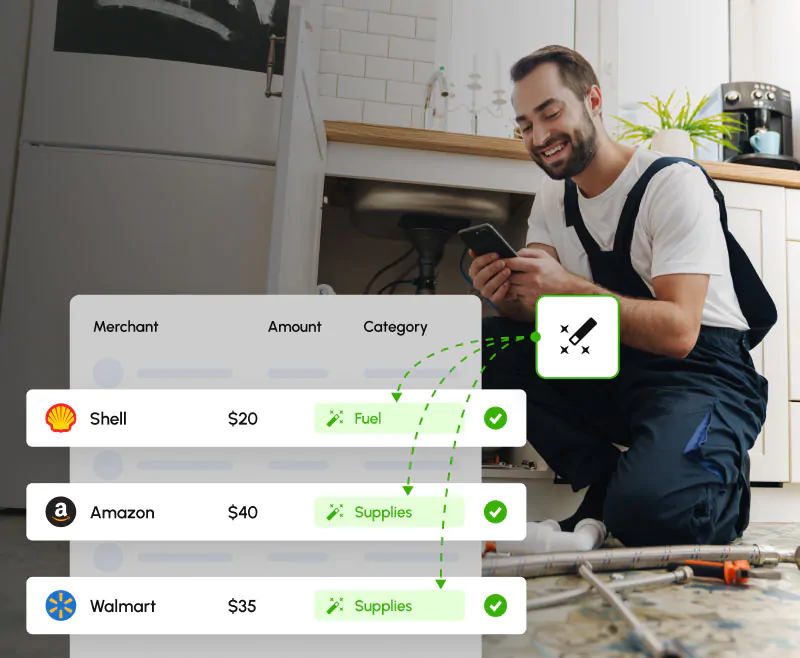
Rules remove the predictable part. Match on the vendor, the amount, or the card, and set what happens: the GL account, the project, the property, the customer, the department, the cost code. The gas station near the shop, the monthly software subscription, the usual supplier: coded before anyone looks at them.
 AI prediction
AI that learns your chart of accounts
For everything rules do not cover, Clyr predicts the coding from your own history: how your team coded this vendor, this kind of purchase, this job. The model is your ledger, not a generic taxonomy. No creative guessing on your chart of accounts, and no black box.
 Suggested: 5300 · Equipment rental
 The safety model
When the AI is not sure, it says so
This is the part most automation pages skip. Clyr only applies a suggestion when it clears a confidence threshold. Below it, the transaction simply waits for a human instead of being guessed at, so an uncertain machine never quietly writes into your books.
And when a person does step in, any human edit wins. The correction is not just accepted, it is learned: the AI adjusts to how your team actually codes, so the same uncertainty does not come back next month.
DuplicatesDuplicates caught on arrival
Duplicate charges get flagged as they arrive, not discovered later. Catching a duplicate at arrival costs seconds; catching it after it hit the client invoice costs a phone call you do not want to make.
Month-endClose becomes a review
When the routine majority of transactions code themselves, month-end stops being a coding marathon. The exceptions are what your bookkeeper looks at, because the exceptions are all that is left.
FAQFrequently asked questions
What conditions can rules match on?
Vendor, amount, or card. The rule then sets the coding: GL account, project, property, customer, department, or cost code.
How accurate is the AI GL prediction?
Clyr only applies suggestions that clear a confidence threshold. Anything below it is left for human review rather than guessed at, so the number that matters is not an accuracy score, it is that uncertain transactions never code themselves.
Can I override the AI?
Always. Any human edit wins, and the AI learns from how your team actually codes.
Do bills get coded too?
Yes. Coding automation covers your card spend as it arrives, and bills additionally get AI coding suggestions drawn from each vendor’s history.
What happens to transactions the AI is unsure about?
They wait for a person. Low-confidence transactions are queued for human review instead of being coded on a guess.
What coding dimensions are supported?
GL account, project, property, customer, department, and cost code, plus any custom fields you have defined. See Custom Fields.
Get a demoSee it on your own spend
Book a 20-minute demo. Bring a month of transactions; we will build the rules for your three most common vendors live and show you what codes itself afterward.