
 At a glance
Clyr vs Expensify at a glance
The switch triggerWhy teams go looking for an Expensify alternative
The complaints that push teams off Expensify are consistent. The report model asks employees to remember, compile, and submit, which field crews simply do not do; admins end up chasing reports instead of receipts. Pricing and product direction keep nudging users toward the Expensify Card, which is a nonstarter for companies that want their existing bank relationships and rewards. And while accounting integrations run deep, operational integrations do not: there is no native sync with the platforms a contractor or property manager actually dispatches from.
None of that makes Expensify a bad product. It makes it an office product.
Head to headWhere each platform is strong
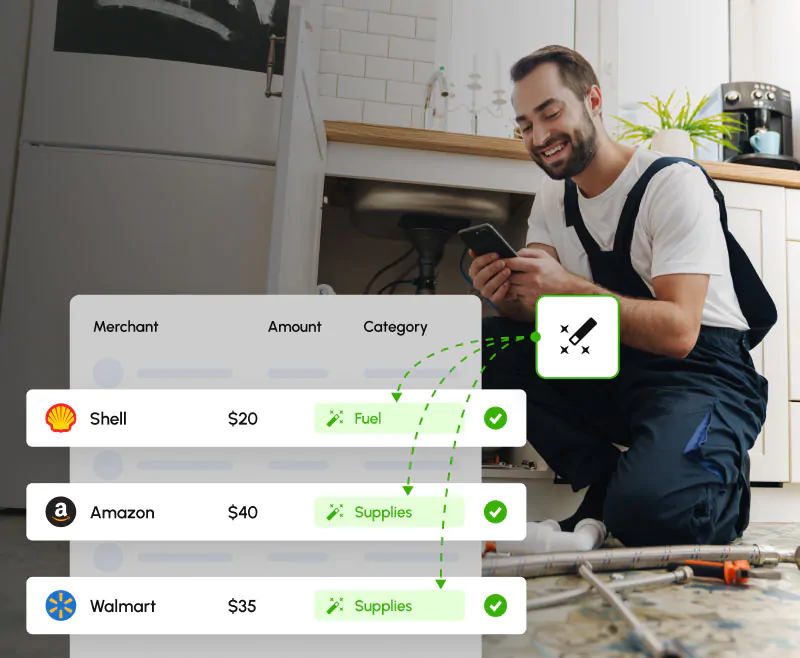
Receipt capture. Expensify's SmartScan is mature and its capture options are broad. Clyr's difference is the trigger: the text message arrives seconds after the card swipe, so capture happens at the counter instead of at month end, and automated reminders chase whatever is missing. Field crews never open an app.
Coding and job costing. Expensify codes to categories and tags, and can be configured further. Clyr codes to jobs, cost codes, properties, and GL accounts by rule and AI prediction, and its job costing page shows budget vs. actual in real time. For time-and-materials businesses this is the structural difference, not a feature checkbox.
AP and bill pay. Clyr includes vendor bill capture, approval routing, payment by ACH, check, or card, PO matching, and 1099 e-filing. Expensify's strength remains the expense-report side; its AP tooling is lighter. Teams that want spend and AP in one system lean Clyr.
Travel. Expensify books travel; Clyr does not and does not pretend to. A sales team that flies weekly has a real reason to shortlist Expensify.
Cards. Both work with existing cards. The difference is emphasis: Expensify's economics favor the Expensify Card; Clyr has no card of its own, so its incentives stay aligned with bring-your-own-card customers.
PricingPricing model
Expensify publishes per-seat plans, with pricing that varies depending on whether teams adopt the Expensify Card. Clyr uses usage-based pricing aimed at mid-size businesses rather than per-seat tiers. For exact current numbers on both, check each vendor's pricing page before deciding; per-seat math and usage math favor different team shapes.
Who should stay on Expensify
Teams that work at desks, submit occasional travel expenses, want self-serve setup, and value built-in travel booking are well served by Expensify. If expense reports genuinely fit how your company works, switching buys you little.
Who should switch to Clyr
Companies whose spending happens in trucks, at supply houses, and on job sites; teams that need costs coded to jobs or properties; businesses that want AP, reimbursements, and card spend in one system; and anyone who has concluded that the expense report itself is the problem. If your Expensify admin spends the first week of the month chasing reports from the field, that is the signal.
MigrationSwitching from Expensify to Clyr
Setup takes about 15 minutes for an admin: connect your cards and accounting system, set coding rules, and field staff onboard from a text message the same day. Your chart of accounts, jobs, and vendors come in through the QuickBooks, Xero, Sage Intacct, or NetSuite sync rather than manual migration. Historical Expensify data stays exportable from Expensify for your records.
The wider fieldOther Expensify alternatives worth considering
Ramp
Free software funded by its charge card; strong if you are willing to move spend onto Ramp cards.
See Clyr vs Ramp →Zoho Expense
Inexpensive per-seat tool that fits teams already inside the Zoho suite.
See Clyr vs Zoho Expense →Sage Expense Management (formerly Fyle)
Text-based receipt capture on existing cards, now part of Sage.
See Clyr vs Fyle →FAQFrequently asked questions
Is Clyr a good alternative to Expensify?
For field-based companies, yes. Clyr removes expense reports entirely, captures receipts by text at the moment of purchase, codes spend to jobs and properties, and includes AP automation. Office-based teams that like the report workflow may not need to switch.
What is the main difference between Clyr and Expensify?
The unit of work. Expensify is built around the expense report an employee compiles and submits. Clyr is built around the individual transaction, captured and coded the moment it happens, with no report step at all.
Do I have to change cards to use Clyr?
No. Clyr connects to the Amex, Visa, and Mastercard accounts you already hold across 16,000+ financial institutions. There is no Clyr card and no incentive to move your spend anywhere.
Does Clyr integrate with QuickBooks like Expensify does?
Yes, two ways, with receipts attached, plus Xero, Sage Intacct, and NetSuite. Clyr adds what Expensify lacks: native sync with field platforms like Jobber, Service Fusion, Buildium, and Hostaway.
Can Clyr book travel like Expensify?
No. Clyr tracks and codes travel spending but does not book trips. Teams with heavy managed travel should weigh that honestly; teams whose "travel" is trucks and job sites lose nothing.
How long does switching take?
About 15 minutes of admin setup, then field staff submit their first receipts the same day from a text thread. No training sessions.
 Get a demo
Not a single report
Bring one month of chased-down Expensify reports to a 20-minute demo and watch the same spending flow through Clyr without a single report.