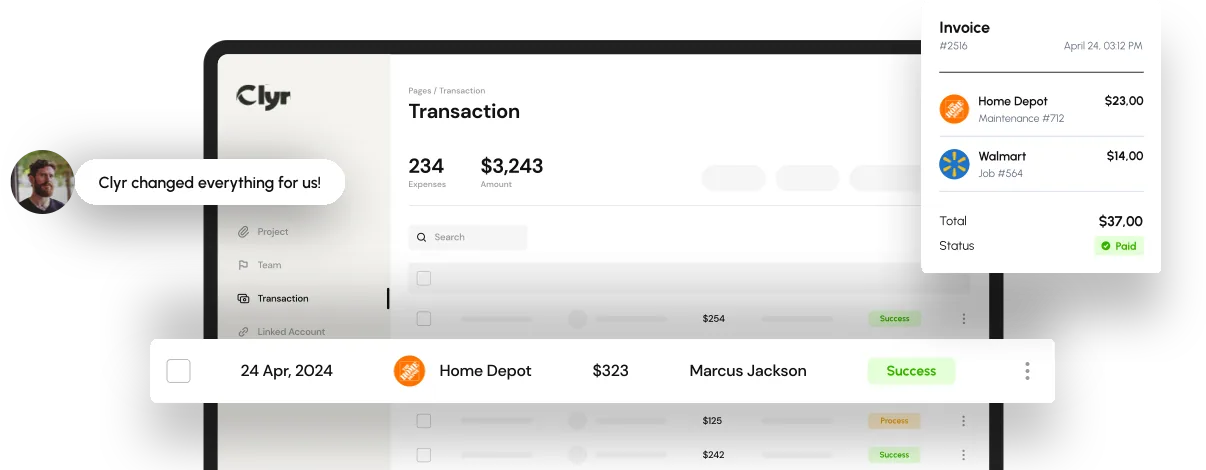
Built for teams that spend in the field
Construction crews, property managers, and service companies across the US and Canada run their expenses through Clyr.





 Keep your cards
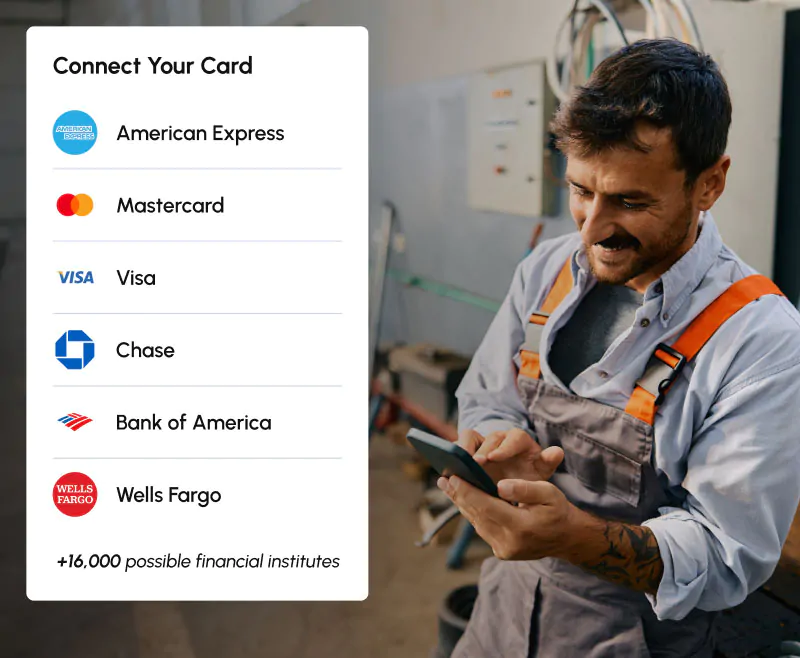
Use any card and bank account
Most expense platforms make you take their card to get real-time visibility. Clyr connects to the cards and bank accounts you already have, including Amex, Visa, and Mastercard, and banks like Chase, Bank of America, and Wells Fargo, across 16,000+ institutions.
Your rewards, your credit lines, and your banking relationships stay exactly where they are.
 No card switching, no new application
- Real-time notifications on Amex, Visa, and Mastercard
- Your rewards and credit lines stay yours
 How Clyr works
From swipe to synced in six steps
Three steps happen in the field, on a phone, with no app to open. Three happen in the office, mostly without anyone touching them.

The receipt is handled before the truck leaves the lot
They swipe
Any card you already issue: the company Amex, a Visa from your local bank, a fuel card. The purchase happens like it always has.
Clyr texts them
When the transaction comes through, the cardholder gets an SMS. Not an app to remember. A text.
They reply with the receipt
One photo sent back by text. Receipts also come in by email or the Clyr Chrome extension.
Coding, approval, and sync happen without a chase
AI codes it
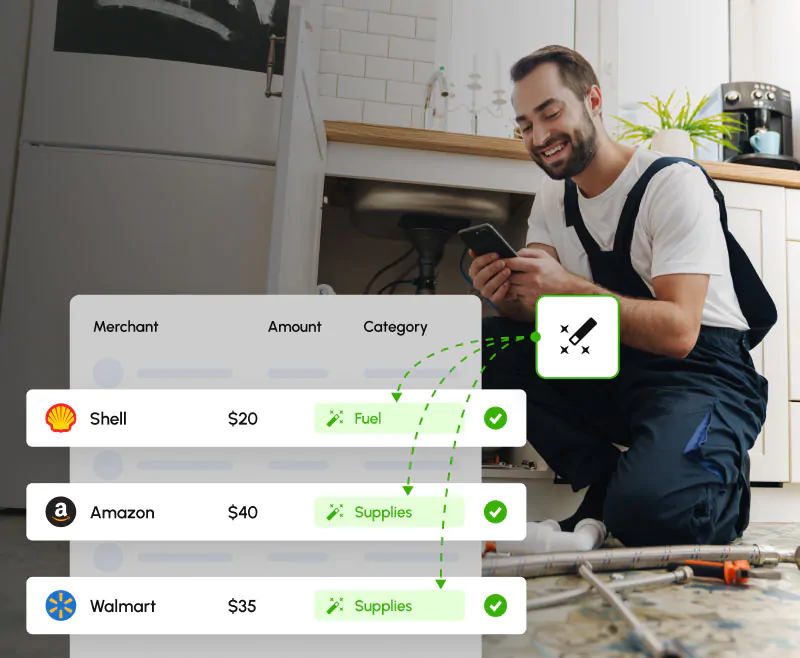
Clyr reads the receipt, matches it to the transaction, and codes it to the job, property, cost code, or GL account. Your rules take priority.
The right person approves it
Approvals route by your policy. Missing receipt? Clyr keeps nudging the cardholder so your bookkeeper does not have to.
It lands in your books
The coded expense syncs two-way with your accounting or management platform, receipt attached, ready to reconcile.
 Who Clyr is for
Built for the way field teams actually spend
Construction & remodeling
Every receipt coded to the job and cost code while the crew is still on site.
Property management
Expenses land on the right property and unit, owner-ready.
Service companies
Techs text receipts between jobs; you see spend per work order.
Also serving event production, manufacturing, legal, and nonprofit teams, and the bookkeepers who keep them straight.
What you getEverything between the swipe and the books

Receipts by SMS, email, or Chrome extension
Cardholders reply to a text; receipts match themselves to transactions.
No-login receipt links →
AI coding and matching
Expenses coded to jobs, properties, cost codes, and GL accounts by your rules.
Coding rules & AI →
Approvals that route themselves
Policies decide who approves what; reminders chase missing receipts automatically.
Approval workflows →
Job costing and budgets
See spend per job, property, or project against budget while it is happening.
Job costing & profitability →

 Beyond cards
The rest of your payables, handled the same way
Bill pay and AP
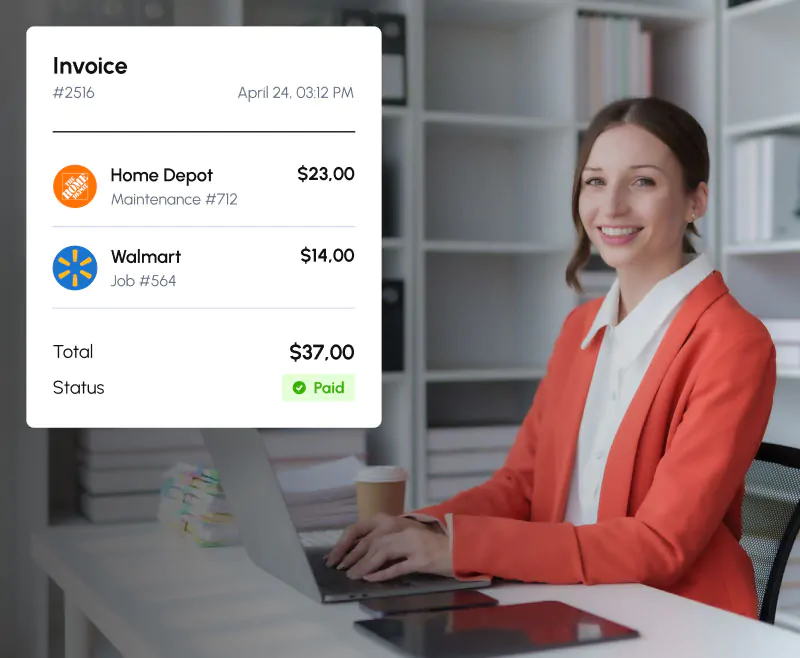
Vendors email invoices straight into Clyr. Line items are extracted automatically, approvals route by your rules, and you pay by ACH or check.
Utility bills
Clyr collects utility bills across your properties and codes them where they belong, so nobody logs into twelve provider portals at month end.
Utility bill management →IntegrationsTwo-way sync with the tools you run on
Your system of record stays the system of record. Clyr syncs two ways with QuickBooks, Xero, Sage Intacct, and NetSuite, and with 25+ property management, field service, and construction platforms.
 QuickBooks
 NetSuite
 Xero
Xero
 Sage
Sage
 Zoho
Zoho
 Buildium
 Entrata
 Guesty
 Hostaway
 Hosthub
AppFolio
Rent Manager
RentVine
Hosthub
AppFolio
Rent Manager
RentVine
 ServiceTitan
 Jobber
 Housecall Pro
 Service Fusion
 Workiz
 Zuper
ZuperUS-based, personalized support when you need it
Real people, by phone, SMS, or email. You talk to someone who knows your account, not a ticket queue. Setup help included; our team gets your cards connected and your first sync running.
 FAQ
FAQQuestions buyers actually ask
Do we have to switch cards or banks?
No. Clyr connects to the cards and accounts you already have, including Amex, Visa, and Mastercard, across 16,000+ institutions. Your rewards and credit lines stay yours.
How do employees submit receipts?
By replying to the SMS Clyr sends when a card is swiped, by email, or with the Clyr Chrome extension. Most receipts are submitted in the field, seconds after the purchase.
Which systems does Clyr sync with?
QuickBooks, Xero, Sage Intacct, and NetSuite two-way, plus 25+ property management, field service, and construction platforms.
What if the AI codes something wrong?
Your coding rules take priority over the AI, and anything can be recoded from the dashboard.
What happens when someone ignores a receipt reminder?
Clyr keeps following up automatically, and team compliance is visible on a leaderboard, so finance stops playing collections.
How do vendor payments work?
Invoices arrive by email, get extracted and approved by your rules, and are paid by ACH (fast: 2 business days; standard: 3 to 5) or mailed check.
Where does Clyr operate?
Clyr serves businesses across the United States and Canada, with US-based support.
Get a demoSee your own spend in Clyr
Book a 20-minute demo. Bring a recent card statement; we will show you what yesterday’s swipes would look like coded, approved, and synced. You will know within the first ten minutes whether this fits.