What Is a Work Order? Field Service Examples
A work order is a written instruction that says what job needs doing, where, by whom and by when, and then records the labor, parts and sign-off that went into it. Field service companies, maintenance teams and property managers use work orders to authorize jobs, track their cost and back up the invoice.
When a tenant in unit 14 reports a leaking kitchen faucet, the property manager opens a work order and assigns the maintenance tech, who records 1.5 hours and a $38 cartridge before closing it.
What a work order does
A work order answers two questions you will be asked later: who said to do this, and what did it cost? Companies call it different things, including a service ticket, job ticket or dispatch ticket. The name matters less than having one numbered record per job.
Field service
A customer calls a heating, plumbing or electrical company. A dispatcher opens the work order, a tech gets it on the road, and the customer signs when the job is done. The office then bills from it. Many companies keep this in field service management software, which creates, assigns and tracks each job from request to completion.
Maintenance
Here there's often no outside customer. A plant or school facilities team opens work orders for its own buildings and machines. Some are corrective, because something broke. Others are preventive, like a filter change every quarter. The cost lands on a machine, a building or a department, and over time the history tells you something useful: a pump with six repair orders in a year may be cheaper to replace.
Property management
The manager decides who does the work and checks whether it falls under the spending limit in the owner's management agreement. An outside vendor usually gets a work order with a not-to-exceed amount, a price cap it can't pass without calling first. The vendor's bill then comes back with the work order number on it, so it can be coded to the right property and unit.
What goes on a work order
There's no official form. This is a typical one, filled in for an HVAC repair:
| Field | Sample entry |
|---|---|
| Work order number | WO-20417 |
| Date opened and requested by | October 6, 2026, store manager by phone |
| Customer and site | Retail landlord, Building B |
| Problem reported | Rooftop unit 2 not cooling, fan not spinning |
| Work authorized | Diagnose and repair, not to exceed $1,500 |
| Assigned to | Two HVAC techs |
| Job number and cost code | Job 8812, service repair |
| Labor | 2.5 hours each, 5 hours total |
| Parts | Fan motor $385, capacitor and fittings $42 |
| Completion notes | Motor replaced, unit tested, cooling restored |
| Sign-off and date closed | Site manager, October 7, 2026 |
A cost code is a label that sorts job costs by type of work. If your techs will only reliably fill in three fields, make them the job number, the hours and the parts.
How a work order moves from request to invoice
Software labels vary, but the path is usually the same:
- Request. A customer, tenant or inspector reports a problem, and someone opens a numbered work order.
- Authorization. Someone with the authority approves the work and any price cap.
- Dispatch. The job is scheduled and assigned to a tech, a crew or an outside vendor.
- Work. The tech records hours, parts and notes.
- Sign-off. The customer or site contact confirms the work was done.
- Review and close. The office checks for missing hours and receipts.
- Billing or cost posting. A customer job becomes an invoice. An internal job posts its cost to the building or machine.
The step people skip is going back to step 2. If the tech finds a bad compressor on a $1,500 work order, the extra work needs a new approval before it starts, and a note saying who gave it.
Work order vs purchase order vs change order
All three authorize something, which is why people mix them up. A work order authorizes work. A purchase order is a buyer's written order to a vendor for goods or services at a stated price. A change order amends a signed contract after work has started.
| Work order | Purchase order | Change order | |
|---|---|---|---|
| Main job | Tells someone to do a task | Orders goods or services | Changes an existing contract |
| Usually issued by | Dispatcher, property manager or maintenance lead | Buyer or purchasing staff | Contractor and owner, by agreement |
| Price | Estimate or cap, with final cost from labor and parts | Stated up front | Adds to or subtracts from the contract price |
| Typical use | Service calls and repairs | Materials and vendor services | Extra scope on a contract job |
An HVAC company might issue a purchase order for a special-order motor and tie it to the work order that needs it.
How a work order ties to job costing
Job costing means tracking labor, materials and other costs against each job, so you can see which ones make money. The work order number or its job number is what links those costs together.
Labor comes from timesheets. OpenStax's managerial accounting textbook describes the same idea with time tickets that "include job numbers and time per job." Parts come from stock, purchase orders or a card at the supply counter. Outside vendors send bills. If any of them arrives without a job number, someone in the office has to guess.
Hours on a work order also aren't payroll hours. Drive time and shop time rarely appear on it. The Department of Labor's recordkeeping fact sheet for the federal wage law lists hours worked each day and total hours each workweek among the records a covered employer keeps for nonexempt workers, generally those owed overtime pay. So keep your time records separately and use the work order to allocate them.
Worked example: one repair from cost to margin
Take WO-20417 from the table above, billed by time and materials, meaning actual hours and parts at set rates. The company's burdened rate, meaning wage plus payroll taxes, insurance and benefits, is $46 an hour. It bills labor at $120 an hour and marks parts up 30%. Sales tax is left out to keep this simple.
- Labor costs $230 (5 hours x $46).
- Parts cost $427 ($385 + $42).
- Total direct job cost, before any share of overhead, is $657 ($230 + $427).
- Labor is billed at $600 (5 hours x $120).
- Parts are billed at $555.10 ($427 x 1.30).
- The invoice total is $1,155.10 ($600 + $555.10).
Gross profit is $498.10 ($1,155.10 - $657), about 43.1% of the invoice.
Now say the $42 receipt stays in the truck and never reaches the work order. The invoice bills parts of only $500.50 ($385 x 1.30), for a total of $1,100.50. The job report shows $615 of cost and $485.50 of profit. When the $42 card charge finally turns up, the real profit is $443.50 ($1,100.50 - $657). That one receipt cost $54.60 of billing and overstated the job's profit by $42.
How a work order ties to invoicing
A customer invoice should trace back, line by line, to a closed work order. On time and materials work, the hours and parts on the work order become the invoice lines. On flat-rate work, the price comes from your price book, your list of set prices, and the work order proves the job was done. You still want the real hours and parts on it, or you'll never learn that a flat price stopped covering the job.
Run one report every week: work orders closed but not invoiced. It finds money you've earned and forgotten to bill. Give that list to your bookkeeper at month-end too. In accrual books, which record income when it's earned instead of when cash arrives, a finished job belongs in that month even if the invoice goes out in the next one.
A work order shows what was done, but IRS Publication 583's examples of supporting documents are paid bills, invoices, receipts, canceled checks and the like. File the vendor bills and receipts with it, not instead of it.
Getting parts onto the right job
Parts bought on the road are where work orders leak, as the $42 receipt showed.
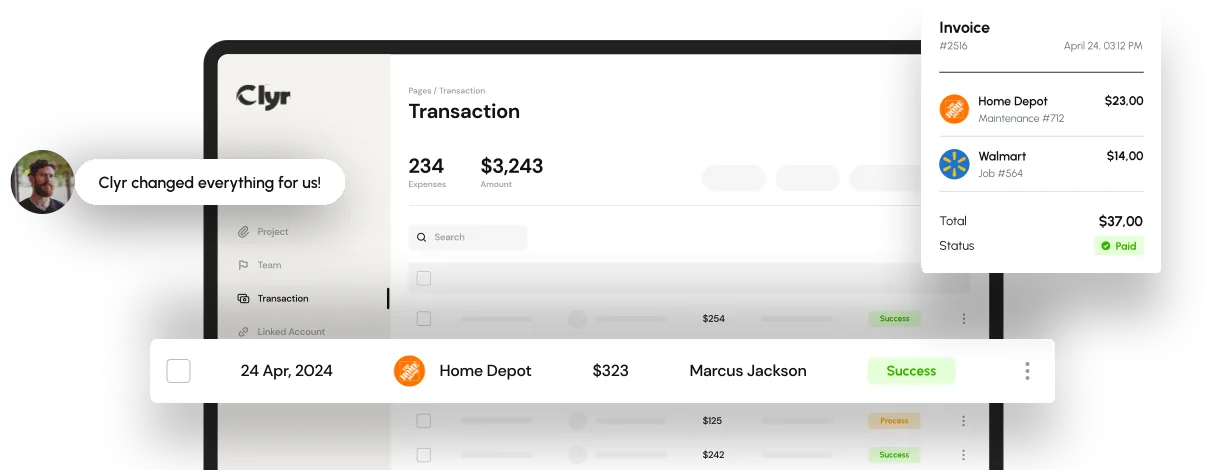
Clyr's expense management for field service companies runs on the cards you already have. A tech swipes the card, gets a text and replies with a photo of the receipt, so the $42 receipt doesn't stay in the truck. With Jobber connected, jobs and clients sync into Clyr in real time, and per-job expenses sync back to Jobber. Invoicing itself happens in your existing billing workflow, and hours still come from your own time tracking.
FAQs
It can be, but don't count on it. A signed work order that states the work, the price and the terms may bind both sides, while a bare internal ticket usually won't. The answer turns on its wording and on state law, including any rules for home repair. For anything large, use a proper contract and let the work order sit under it. An attorney can tell you what your form does.
A work order authorizes and records the job, and it doesn't ask anyone for money. The invoice is the bill. A signed work order that nobody has invoiced won't reach the customer's bills to pay, and it won't show up in your receivables, the money customers owe you, either.
Find out why, because an old open order usually means one of three things. The work was finished and nobody closed it, the part never came, or the job was canceled. If the work was done and no vendor bill has arrived, tell your bookkeeper, who may need to record the cost as an accrued expense, meaning a cost you owe but haven't been billed for.
Keep them at least as long as the tax records they support. IRS Publication 583 says records backing an income or deduction item generally stay until the period of limitations for that return expires. That window, the time the IRS has to review a return, is usually three years and longer in some cases. Records for property you own stay until it ends for the year you dispose of the property. Warranty claims and owner disputes can run longer.