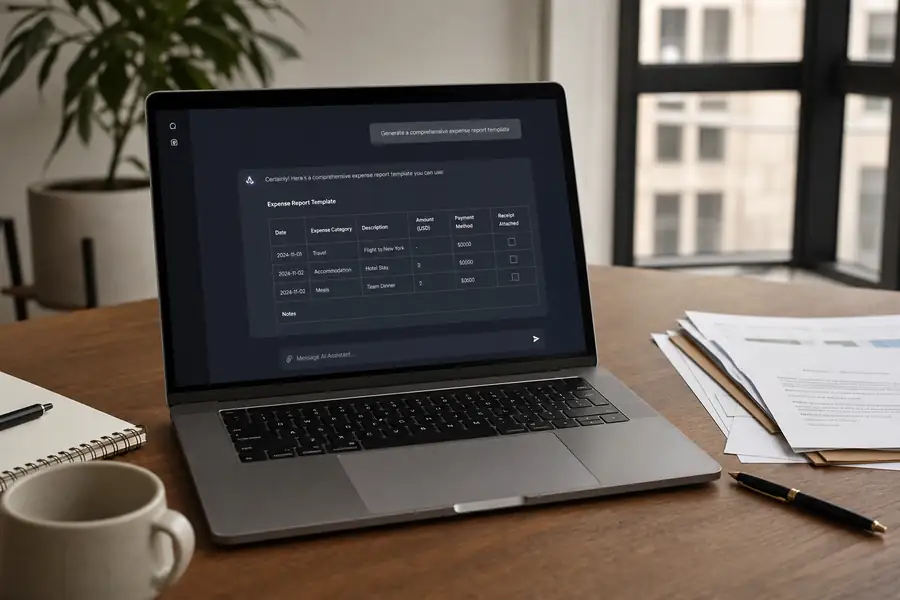
Most free downloads promise an expense report template but deliver a generic grid built for nobody's workflow. Wrong categories, no job codes, a totals row that does not match your chart of accounts. You can build a better one in about ten minutes using ChatGPT or Claude, shaped around your own categories and the spreadsheet you already use.
This walks through the exact prompts: define the fields, generate the draft, review it, add formulas and dropdowns, adapt it to your industry, and test it against a real week of expenses. By the end you have an expense report template excel or expense report template google sheets file that fits your business, not a free expense report someone else built for a different one.
Key Takeaways
- Define the fields before you prompt: vague requests produce vague templates.
- Ask for both formats: a markdown table you can review and a CSV you can import straight into Sheets or Excel.
- Formulas need a second prompt: the AI writes the SUMIF and validation rules exactly if you name them.
- Adapt by industry: a construction crew needs job codes and billable markup; a property manager needs per-property splits.
- Test with real receipts: a template that only works on sample data will break in week one.
What Your Expense Report Template Needs to Capture
A usable expense report template captures ten data points, not just a date and an amount. Miss one and someone reconstructs it by hand at month-end, which is exactly the manual work the template is supposed to remove.
- Date: when the expense happened, not when it was submitted.
- Vendor: who was paid.
- Category: travel, meals, materials, fuel, software, or other, picked from a fixed list, not typed free-hand.
- Description: a short line explaining the charge.
- Project or job code: which client, property, or job site the cost belongs to.
- Amount and currency: the number and the unit it is in.
- Payment method: personal card, company card, or cash.
- Receipt attached (Y/N): a flag that makes missing documentation visible at a glance.
- Billable (Y/N): whether the cost passes through to a client invoice.
- Approver and signature block: who signs off before reimbursement.
For the fundamentals behind each field, our guide to using expense reports for small business covers what bookkeepers actually expect to see on one.
Prompt 1: Generate Your Expense Report Template with AI
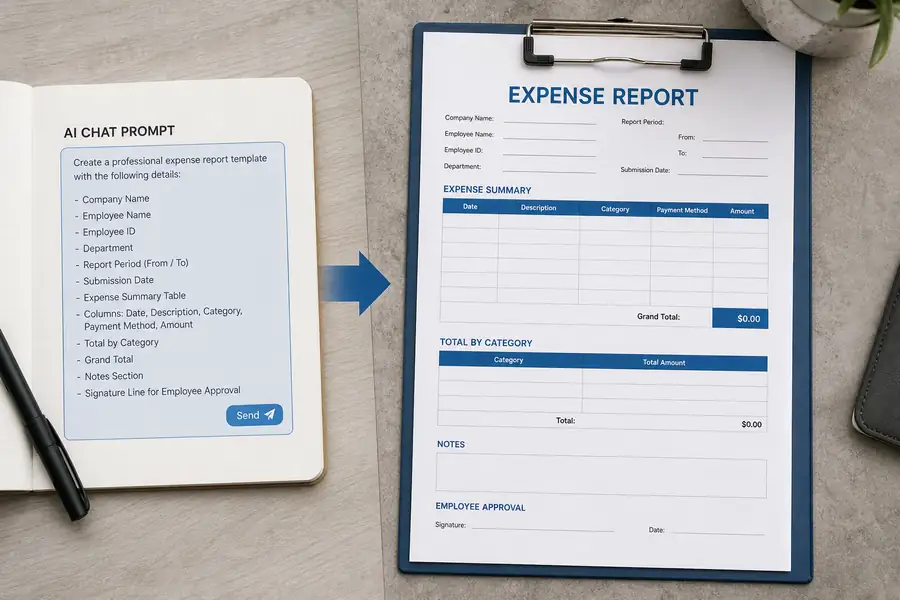
Paste the exact fields above into ChatGPT or Claude and it returns a usable draft in one pass. Copy this prompt as written and swap the category list if yours differs.
| Copy-paste prompt |
|---|
| Act as a corporate finance specialist. Create an expense report template as a table with columns: Date, Vendor, Category (dropdown: travel, meals, materials, fuel, software, other), Description, Project/Job code, Amount, Currency, Payment method, Receipt attached (Y/N), Billable (Y/N), Notes. Add a totals row per category and a signature/approval block. Output it twice: as a markdown table and as CSV I can import into Google Sheets. |
The AI returns a markdown table you can scan right away and a CSV block underneath it. Copy the CSV block, paste it into a blank Google Sheets or Excel file, and it lands as proper columns instead of one long string of text.
Review and Refine the AI-Generated Template
Check the AI's first draft against your real chart of accounts before you trust it. AI tools default to generic categories, so rename anything that does not match how your bookkeeper already codes spend.
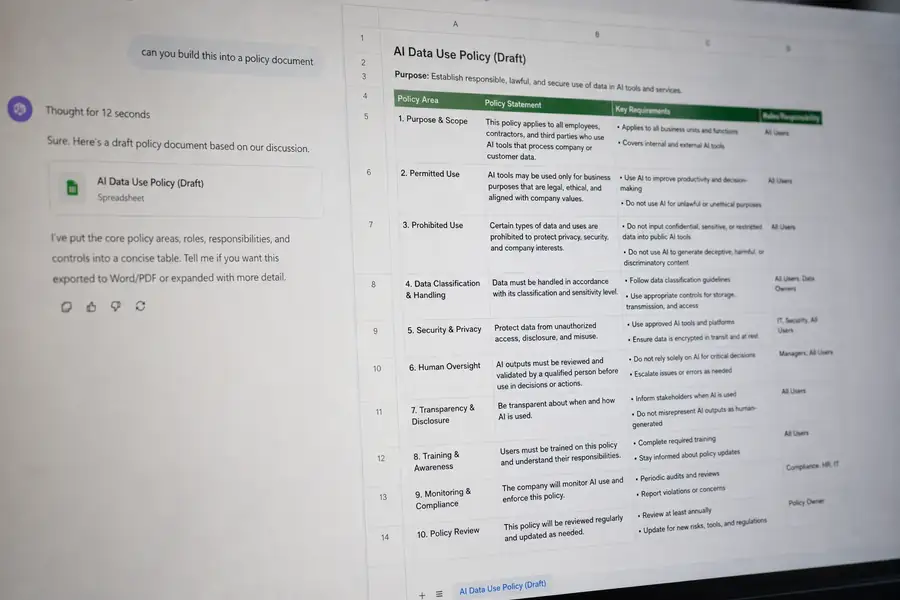
Look at three things: whether the totals row sums each category correctly, whether the approval block has a real signature and date field, and whether the category list matches what you enforce today. If you do not have a written reimbursement policy to pair with the approval block, start from our free expense reimbursement policy templates and match the sign-off language to your own approval chain.
Prompt 2: Add Formulas, Dropdowns, and Alerts
A second prompt turns the static grid into a working spreadsheet, with exact formulas instead of vague advice to add some validation. Paste this once the base template is in Sheets or Excel.
| Copy-paste prompt |
|---|
| Now write the exact Google Sheets formulas for: total per category (SUMIF), monthly total, a data-validation dropdown for the Category column, and conditional formatting that flags rows over $500 or missing receipts. Give step-by-step where to click to apply each. |
The AI hands back a working SUMIF formula referencing your category and amount columns, a SUM for the month, and click-by-click steps for Data validation and conditional formatting. Type each formula exactly as given into the cell it names. If a formula throws an error, paste the error message back to the AI rather than guessing at the fix.
Prompt 3: Adapt the Expense Report Template to Your Industry
A construction crew, a property manager, and a consulting firm need different columns on the same base template, and one more prompt gets you there without rebuilding from scratch.
| Copy-paste prompt |
|---|
| Adapt this expense report template for a 15-person construction company that tracks expenses per job site and needs a billable/markup column for client invoicing. |
Swap the details for your own situation. A property manager would ask for a per-property split instead of a job site column. A non-profit would ask for a grant or fund code instead of billable markup. Name the real variable your business tracks and let the AI restructure the columns around it.
Import, Iterate, and Export Your Expense Report Template
Keep iterating with follow-up prompts rather than starting over: ask the AI to add a mileage column, split payment method into card versus cash, or add a currency note for teams that travel internationally.
- For spreadsheets: ask the AI for a CSV code block and import it into Excel or Google Sheets, or paste the markdown table into a blank Sheets file to auto-format into columns.
- For policy language: paste the approval section into Google Docs or Word and have finance or legal review the sign-off language before rollout.
Test the finished expense report template excel or expense report template google sheets file against one real week of receipts before handing it to the team. Enter every actual expense from that week, confirm the SUMIF totals match a manual count, and check that the missing-receipt flag actually fires. A template that only works on sample data breaks the first time someone submits a real, smudged gas receipt.
When an Expense Report Template Isn't Enough
A spreadsheet works fine for a handful of employees submitting a few expenses a month. It stops working once field crews submit receipts daily, multiple job sites need coding, or a controller is re-keying every row into QuickBooks at month-end.
That is the point where teams move from a template to expense management software that captures receipts on a phone the moment a purchase happens, auto-codes the category and job, and syncs to accounting. Clyr does this for field-heavy teams: a crew member snaps a receipt, it gets coded to the right job in real time, and the data lands in QuickBooks without anyone rebuilding a spreadsheet at close. Reports and exports still give you the same category and job breakdowns your template tracked, without the manual entry.
If your team has outgrown the spreadsheet, book a demo to see how Clyr handles receipt capture, coding, and sync at your team's size.
FAQs
Is there a free expense report template I can use right away?
Yes, the fastest free expense report is one you generate yourself with the prompts above, since ChatGPT and Claude are free to use for basic requests and the output is yours to edit. A generic downloaded file often carries categories that do not match your business, so a custom AI-built version usually needs less rework.
Can I build an expense report template in Excel instead of Google Sheets?
Yes. Ask the AI for the CSV output from Prompt 1, then open Excel and use File, Import to bring it in as formatted columns. The formula logic from Prompt 2 works in Excel too, though the steps to open data validation differ slightly from Sheets.
How do I stop employees from submitting a report with missing receipts?
Conditional formatting that flags any row with no receipt attached, built with Prompt 2, makes missing documentation visible before you approve anything. For teams that keep missing receipts anyway, real-time mobile capture removes the problem at the source since the receipt attaches the moment the purchase happens.
What is the difference between a template and expense management software?
A template is a static file someone fills in and someone else reviews by hand. Expense management software automates the capture, coding, and approval so nobody re-keys data, which matters once a team submits more than a handful of expenses a week.