You know the drill. A crew member grabs lunch on a job site, stuffs the receipt in a glove box, and it’s gone by Friday. Or finance gets another forwarded email chain full of blurry photos and “I’ll explain later” notes. It’s not laziness, it’s just how field work happens. And every month it adds up to lost time, messy books, and audit headaches.
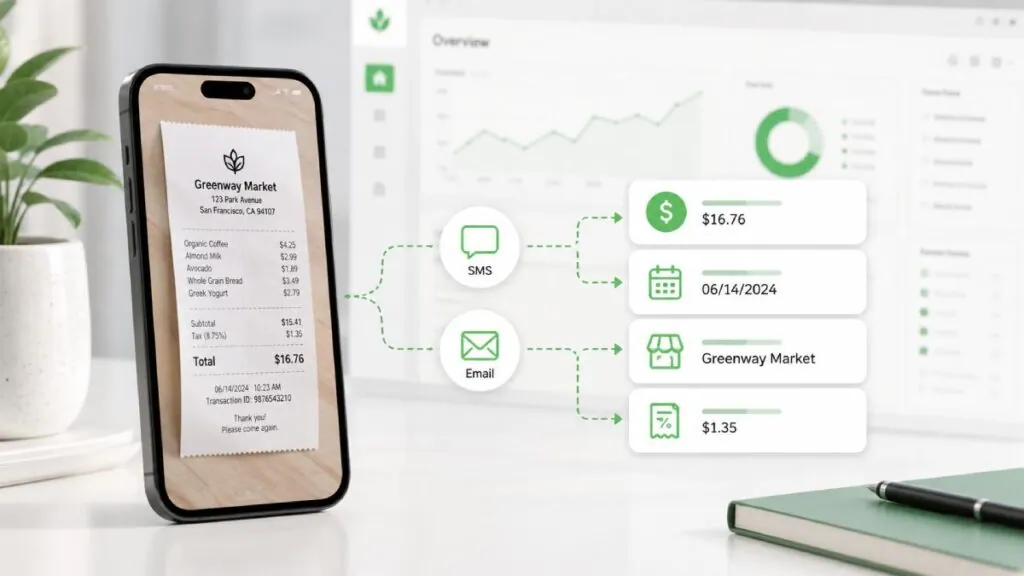
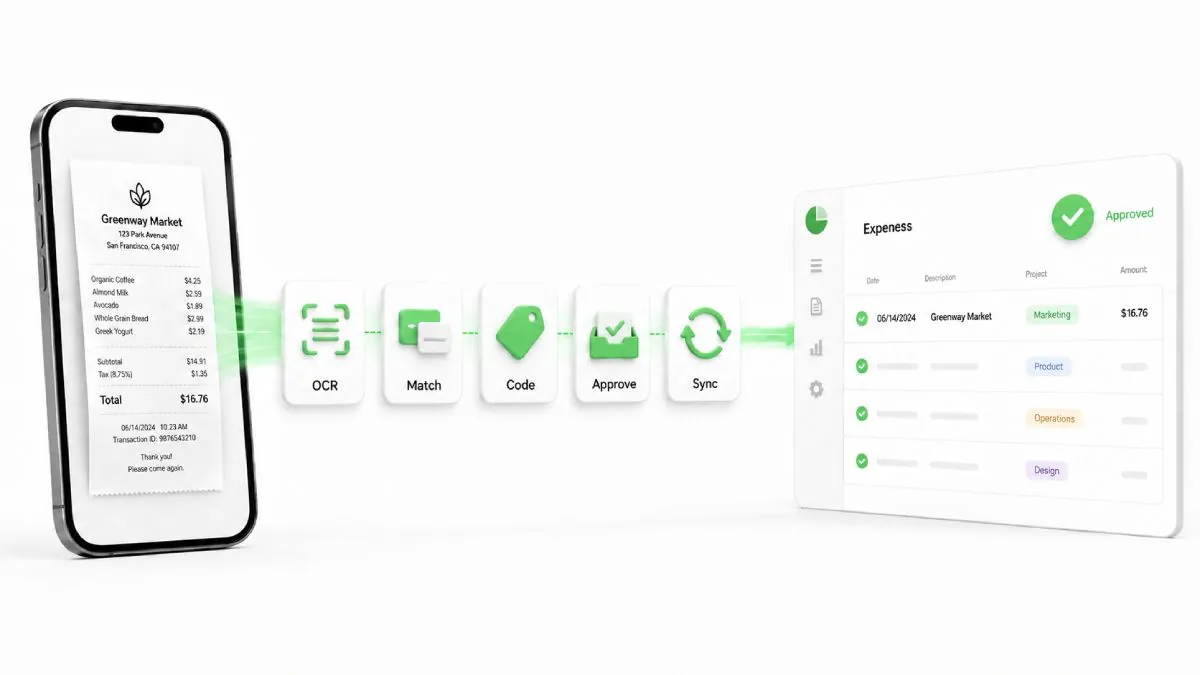
Automatic receipt submission via SMS or email fixes that. Snap a photo, hit send to a dedicated number or address, and the system handles the rest: OCR pulls the details, matches it to a card transaction if it exists, suggests the right code, and drops it into your ledger. No app login. No manual entry. No more “where’s the receipt?”
I’ve tested this across construction crews, property managers, and contractors for years. In 2026, it’s table stakes for any tool worth using, but the ones that do it right, especially for teams with bad signal and zero patience for apps, actually move the needle on compliance and speed.
Why SMS and Email Receipt Submission Beats the Old Ways
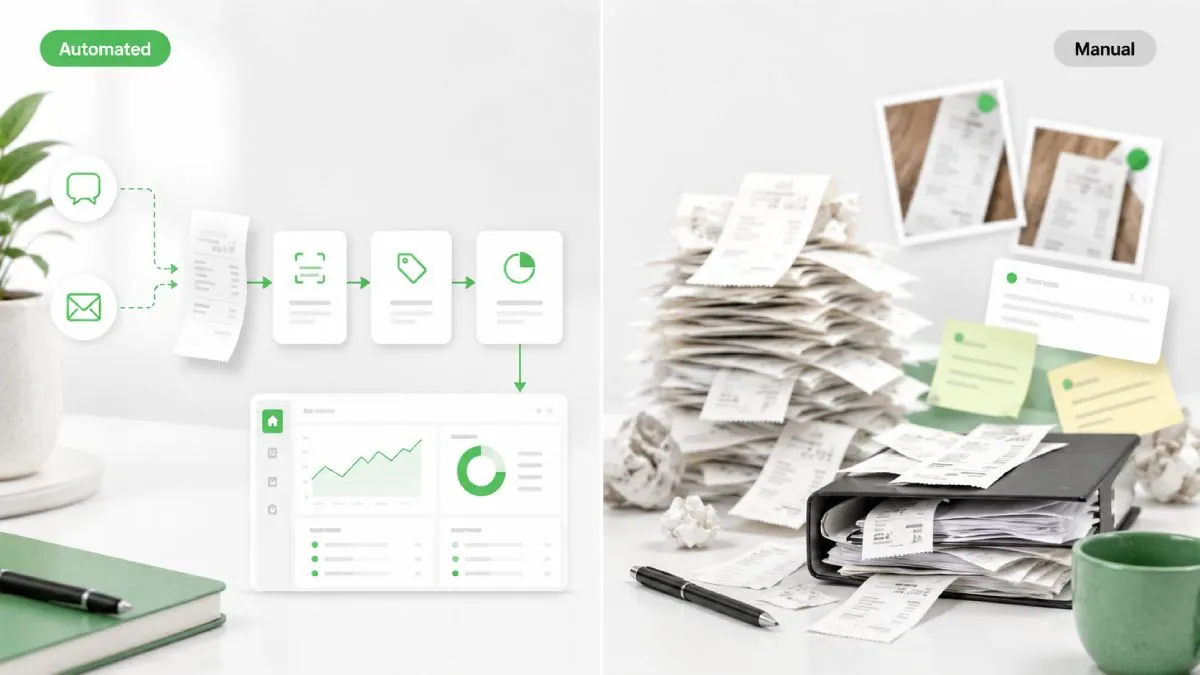
Paper receipts get lost. Apps get ignored when your crew is up on a roof or out of cell range half the day. Email forwarding works for e-receipts from vendors, but SMS wins for the on-the-spot stuff because it doesn’t require data or a fancy app.
Real numbers back it up. Teams using text-to-expense see receipt collection 5x faster. Finance spends 40% less time chasing and reconciling. One operation I worked with cut receipt processing time by 95% once they ditched the manual uploads.
The difference shows up fastest with distributed teams. Construction, field service, and property management, these crews don’t sit at desks. They need something that works the second they pay for fuel or materials.
How Automatic Receipt Submission Actually Works (No Tech Jargon Overload)
From the user side, it’s dead simple. Take the photo. Text it to the company’s dedicated shortcode or email it to [email protected]. That’s it. Done.
Behind the scenes, the AI kicks in immediately. It reads the merchant, date, amount, tax, and even line items on better receipts. Matches it to any linked card spend. Apply your coding rules or flag it for a quick review. The expense lands in a draft report or your accounting system before the crew even drives off the site.
SMS shines when the signal is spotty; it queues and sends when you’re back in range. Email handles the digital stuff from airlines, hotels, or suppliers perfectly. Together, they cover almost everything.
Step-by-Step: How to Implement Automatic Receipt Submission via SMS or Email
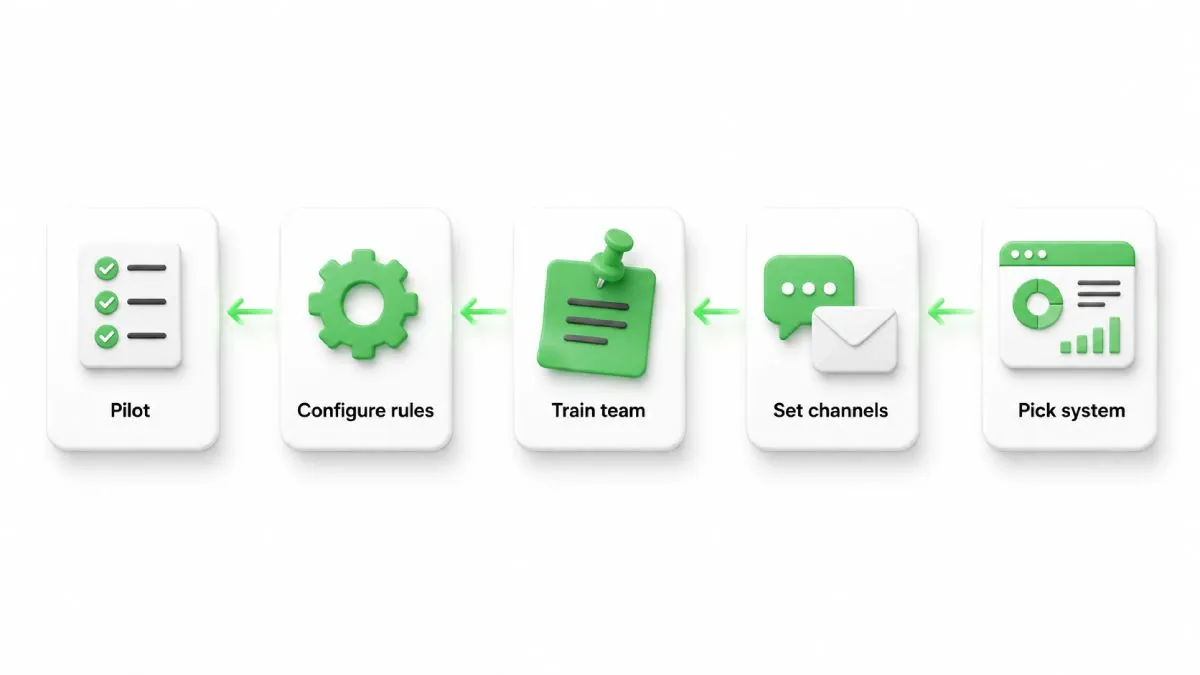
Here’s exactly what to do if you’re rolling this out (or evaluating tools that claim to do it).
Step 1: Pick the right system.
Look for dedicated SMS shortcode support, not just “upload a photo.” Real-time OCR that works in bad lighting and crumpled receipts. Auto-matching to cards. Instant coding based on your rules. And two-way sync with whatever accounting or job-costing software you already run. Test it with your actual field teams; don’t trust the demo screenshots. Platforms built specifically for this, like the ones covered on our expense management software overview, make the decision clearer.
Step 2: Set up your channels.
Get a company SMS number (most good tools provide this) and a clean email inbox like [email protected]. Point it at the expense platform. Takes 10 minutes once you have the account.
Step 3: Train the team the right way.
One 5-minute huddle: “Snap, send to this number, you’re done.” Send a quick text template and pin it in the group chat. Remind them they can forward e-receipts the same way. That’s literally it. No 45-minute training videos.
Step 4: Configure the rules.
Tell the system your GL codes, project tags, and approval thresholds. Set it to auto-approve low-risk stuff and flag the rest. Link it to QuickBooks, Xero, or your job-costing tool so everything flows without double entry. Strong integrations are what keep the whole workflow clean.
Step 5: Pilot, measure, roll out.
Start with one crew or one job site for two weeks. Track receipt submission rate and time to reconcile. Fix the small friction points (bad lighting tips, duplicate detection) before you go company-wide.
Best Practices (and the Pitfalls I’ve Seen in Real Companies)
Good photos still matter. Tell people to lay the receipt flat, good light, no fingers in the shot. Set a policy that says “if it’s over $50, we need the receipt texted within 24 hours” and automate the reminder.
Watch for duplicates; some systems catch them automatically, others don’t. And always have an exception queue, so finance isn’t buried in low-confidence scans.
Security is non-negotiable. The platform should be SOC 2, encrypt everything, and let you control who sees what. For the latest on receipt rules and fraud prevention, this 2026 best practices guide is a solid read.
Real Results You Can Expect + When It Pays Off Fastest
In my March 2026 tests with field-heavy teams, receipt compliance jumped from around 60% to over 90% within the first month. Finance teams report saving 8-10 hours a month on reconciliation alone.
It pays off fastest for contractors, construction, property management, and anywhere people are out of the office all day. One property manager I worked with told me their entire workflow now runs on instant SMS notifications and submissions. No more Monday morning receipt piles.
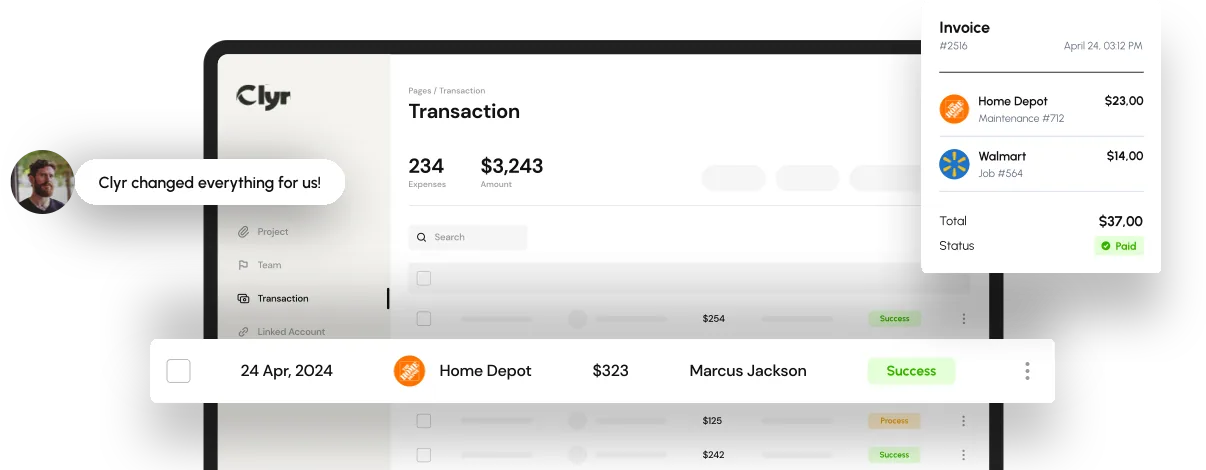
Tools vary. Some do email forwarding well. Others added SMS as an afterthought. Clyr was built for exactly this: real-time SMS and email capture plus instant AI coding that actually works for crews on job sites. It matches the receipt, codes it against your projects, and pushes it straight into accounting, without the crew ever opening another app.
If you manage construction crews or property management teams, the on-site flow makes the biggest difference. You can see the full feature set on the real-time receipt capture and coding page.
Comparison Table
| Tool | SMS Support | Email Forwarding | Auto-Coding Speed | Best For | Accuracy Notes |
| Clyr | Dedicated shortcode, real-time | Yes, instant match | Immediate, project-aware | Construction, property, contractors | Next-gen OCR, near-zero errors |
| Fyle / Sage | Strong text-to-expense | Yes | Fast | Distributed teams | High, but less job-specific |
| Ramp | Yes | Yes | Quick | Startups with cards | Good on clean receipts |
| Expensify | Text option | Strong | SmartScan OCR | Travel-heavy teams | Solid but more manual review |
Frequently Asked Questions
How do I set up automatic receipt submission via SMS in my expense system?
Sign up for a tool with dedicated SMS support, get your company shortcode, share it with the team, and configure your coding rules. Most platforms handle the rest automatically.
What’s the difference between email and SMS receipt capture for field teams?
SMS works offline and queues until signal returns, perfect for job sites. Email is better for digital vendor receipts and bulk forwards. Use both for full coverage.
How accurate is AI when processing receipts sent via text or email?
In 2026, the good systems hit near-zero errors on clean receipts and flag low-confidence ones for quick review. Testing with your actual receipts, lighting, and crumpled still matters.
Can automatic SMS/email submission integrate with QuickBooks or Xero?
Yes. The better tools push the coded expense straight into your accounting system with two-way sync, so nothing gets double-entered.
How to implement automatic receipt submission via SMS or email without adding extra apps?
Choose a platform where employees only need their phone’s native messaging app. No downloads, no logins, just snap and send.
Look, if your teams are still chasing paper or drowning in manual entry, this one change cuts through more frustration than almost anything else I’ve seen. It’s not flashy. It just works.
If you manage distributed crews and want to see how this runs in a system actually built for them, Clyr’s real-time SMS and email capture is worth a look, no hard sell, just the practical option that’s been delivering for teams like yours.