Contractors lose money every time a receipt sits in a truck console instead of getting coded to a job. The best expense software for contractors pairs mobile receipt capture with real-time job costing and a direct QuickBooks sync, so a crew's spend hits the right project the same day it happens. Below are six options worth comparing, from general business card tools to platforms built specifically for field teams, plus what to check before you switch.
Key Takeaways
- Job costing matters more than the interface: the best expense software for contractors tags every purchase to a job number automatically, not after the fact.
- Field capture beats desk entry: crews need to snap a receipt from a truck cab, not log into a portal at month-end.
- QuickBooks sync saves the close: a direct sync means transactions land coded and reconciled instead of re-keyed by the bookkeeper.
- Card controls prevent surprises: virtual and physical cards with spend limits stop personal charges before they hit a job budget.
- Price by model, not sticker: per-user, per-card, and flat pricing all scale differently as your crew count grows.
Best Expense Software for Contractors at a Glance
Here is how the main options compare before the breakdown below.
| Software | Built for field crews | Job costing | Mobile receipt capture | QuickBooks sync | Best fit |
|---|---|---|---|---|---|
| Clyr | Yes | Real-time, per job | Automatic from card swipe | Direct | Contractors with crews in the field |
| Expensify | Limited | Manual tagging | Receipt scan | Yes | Office-based teams with light job tracking |
| Ramp | Limited | Manual tagging | Card-linked | Yes | Companies prioritizing card controls over job costs |
| Brex | No | Not built in | Card-linked | Yes | Mostly office and travel spend |
| QuickBooks Online expenses | No | Manual | Bank feed only | Native | Solo contractors already on QuickBooks |
| Spreadsheets | No | Manual, error-prone | None | None | One or two crews with minimal job-site spend |
The Best Expense Software for Contractors, Ranked
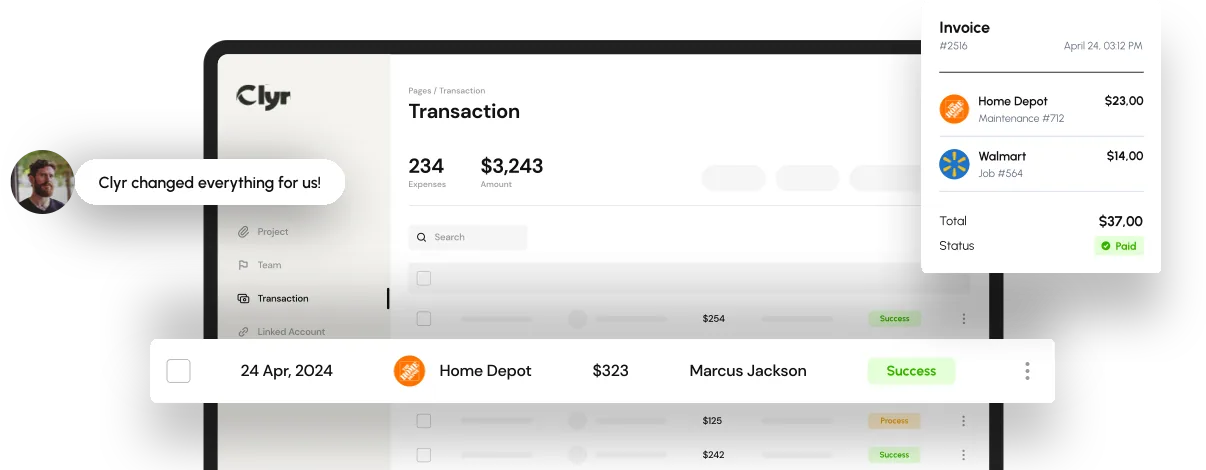
- Clyr. Clyr issues cards to crew leads and captures the receipt the moment a card is swiped, coding it to the right job without anyone typing a memo. It syncs directly with QuickBooks, so job cost reports update the same day instead of two weeks after the fact. It's built specifically for field-heavy businesses rather than office teams.
- Expensify. Expensify handles receipt scanning and basic expense reports well for a general office. Job costing exists but relies on a tag a crew member has to remember to add, and mobile use is workable rather than built for job sites. It typically charges per active user per month, so cost climbs as headcount grows.
- Ramp. Ramp pairs corporate cards with spend controls and real-time transaction feeds, which is useful for limiting card misuse. It has no dedicated job-costing layer, so contractors usually export data and code jobs in a spreadsheet afterward. It fits companies that care more about card governance than per-project cost tracking.
- Brex. Brex is built for corporate spend, with strong card issuing and software integrations. Job costing and construction-specific workflows aren't part of the product, so contractors end up bolting on a separate tracking process. It tends to suit companies with mostly office and travel spend rather than job-site purchases.
- QuickBooks Online expense tracking. If a contractor is already running QuickBooks Online, the built-in bank feed pulls in card and bank transactions automatically. Coding still happens manually, line by line, and there's no field capture app built for a crew standing at a supply counter. It works for a solo operator with light spend and slows down fast once a few crews are buying materials daily.
- Spreadsheets and manual receipt folders. A shared spreadsheet costs nothing and is where most contracting businesses start. Receipts get lost, totals get miskeyed, and job costs are usually two or three weeks stale by the time anyone reconciles them. It works until the business adds a second or third crew, then the manual process breaks down fast.

Why Generic Expense Tools Fail Contractors
Generic expense management software fails contractors because it assumes spend happens at a desk, not scattered across job sites, trucks, and supplier counters. Office-built tools ask someone to log in, find a report, and attach a receipt after the fact. A framing crew buying lumber at 7am has no time for that, and by the time anyone enters it, the job cost report is already wrong.
That gap shows up hardest on multi-job operations, which is why expense management for construction has to route every purchase to a job number the moment it happens, not at month-end. A crew that submits receipts weekly instead of daily can leave a job cost report two to three weeks behind actual spend, long enough for a project to run over budget before anyone notices.
What to Look for in an Expense App for Contractors
The right expense app for contractors lets a crew leader capture a receipt in seconds and lets the office see coded, reconciled spend without re-entering anything.
- Mobile capture with job tagging: a photo of a receipt should attach to a job number automatically, not sit in a camera roll.
- Direct card feeds: transactions post as they happen instead of waiting on a bank statement.
- Accounting sync: a real connection to QuickBooks, Xero, or Sage means the bookkeeper stops re-keying transactions during the close.
- Approval routing by job or supervisor: spend above a set amount should route to whoever owns that budget, not sit in a shared inbox.
- Multi-entity or multi-crew support: separate jobs, subsidiaries, or franchise locations need spend to stay split cleanly.
For a broader breakdown of what to compare across tools, see our guide to small business expense management software.

Where Clyr Fits for Contractor Expense Management
Clyr fits contractors whose spend happens away from a desk: crews buying materials, subcontractors submitting invoices, and supervisors approving job costs from a phone.
Its real-time receipt capture and coding matches a card swipe to a job the moment it happens, so the office isn't reconstructing spend from memory two weeks later. That mirrors a broader shift covered in our look at technology trends in expense management software, where real-time sync and automatic coding are becoming standard rather than a premium feature.
If your crews are still emailing photos of receipts at month-end, book a demo and see how a card swipe turns into a coded, job-ready transaction the same day.
FAQs
What is the best expense software for contractors?
The best expense software for contractors depends on how much of your spend happens in the field. Businesses with crews buying materials or fuel on the job usually do best with a tool built for real-time job costing and mobile receipt capture rather than a general office expense tool.
Does contractor expense software integrate with QuickBooks?
Most modern expense management tools built for contractors sync directly with QuickBooks Online, so coded transactions post to the right job and account without manual re-entry. Confirm whether the sync is a two-way, real-time connection or a once-a-day import, since that difference determines how current your job cost reports actually are.
How much does expense software cost for a contracting business?
Pricing usually follows one of three models: per user per month, per active card, or a flat fee based on transaction volume. A crew-heavy contractor often ends up cheaper on a per-card or flat model than a per-user tool, since not every field worker needs a full seat.
Can a small contracting business just use a spreadsheet to track expenses?
A spreadsheet works for a very small operation with one or two crews and light job-site spend. Once a business adds more crews or starts running multiple jobs at once, manual entry usually falls behind and job costs stay inaccurate until someone catches up at month-end.
What's the difference between a corporate card program and expense management software?
A corporate card program controls how money gets spent, with limits and real-time declines. Expense management software goes a step further by capturing the receipt, coding the purchase to a job or account, and syncing it to your books, which a card program alone does not do.