What Is Spend Visibility?
Spend visibility is knowing who spent what, with which vendor, on which job or property, and whether it was approved, close to when the money goes out. For a small or mid-size business, it means seeing spending while you can still change the outcome, not weeks later on a statement.
If a crew lead buys $1,900 of conduit on Tuesday, spend visibility means the project manager sees that charge against the job budget by Thursday, with the receipt and job code attached, instead of finding it next month.
What spend visibility means in practice
Pick any dollar that left the business last week and ask four questions. Who spent it? What was it for, and who got paid? Which job, property or account does it belong to? Did the right person approve it? If you can answer those by Monday, you have spend visibility. If you're waiting on the card statement, you don't.
Most small businesses have the answers, just not in one place. The bank knows the amount and the merchant. The receipt is on the truck dash, the job is in the crew lead's head, and the approval was a text message.
Visibility shows you a purchase. It doesn't stop one. Limits and pre-approvals are controls, and visibility tells you where you need them. Spend analysis uses much of the same data, but looks back over months for patterns. And visibility is one part of a wider practice: our guide to efficient spend management covers procurement, accounts payable, approvals and vendor management too.
The data you need to get it
| Data | Where it comes from | What it answers |
|---|---|---|
| Card and bank transactions | A card or bank feed, the electronic list of transactions | Which card, when, which merchant, how much |
| Receipts | The person who bought it | What was actually bought |
| Coding | The buyer, your bookkeeper or coding rules | Which job or property, which cost code (type of work, like rough-in or fixtures), which general ledger account (the master record of your books) |
| Approval status | The approver | Whether it's approved, and by whom |
| Bills and reimbursements | Accounts payable (the process for paying vendors) and staff expense claims | Spending that never touched a company card |
| Commitments | Purchase orders and subcontracts | Money you've promised but haven't been billed for |
| Budgets | Your estimate or annual budget | What it was supposed to cost |
A card feed on its own looks complete and isn't. On many jobs the biggest costs arrive as supplier bills, weeks after the material showed up, so a card-only view flatters the job.
The GAO's Green Book sets internal control standards (rules for keeping money and records accurate and safe) for federal agencies (2025 revision, effective from fiscal 2026). It isn't a rule for private companies, though nonfederal organizations may adopt it as a framework, and its definition is a handy yardstick for any business. It says quality information is "appropriate, current, complete, accurate, accessible, verifiable, retained as appropriate, and provided on a timely basis." For a 12-person contractor, current and complete do most of the work.
The reports that show it
Five reports cover most of what a small business needs:
- Budget versus actual by job or property, showing what you planned against what has hit the books so far
- Spend by person or card, showing who buys what and how often
- Spend by vendor, which shows a supplier creeping up or crews avoiding your supplier account, where you get agreed pricing
- Open items, meaning charges still missing a receipt, a code or an approval
- Unpaid bills, usually an AP aging report listing what you owe vendors by how overdue it is
Read open items first. It tells you how far to trust everything else. If many of this week's charges have no job code, your job reports are missing them, and a job that looks fine may not be.
Why month-end-only visibility fails
Say you finish your month-end close, when the month's books get finalized, by the 15th. A charge on June 2 first appears in a finished report on July 15. That's 43 days, and a six-week job is 42. You're reading about the job after the crew has left.
The delay also damages the data. Receipts get lost or fade. Nobody remembers which job a $340 supply-house run went to, so it lands in a catch-all account.
Tax rules won't push you to move faster. Under federal rules in IRS Publication 463 (2025 edition), an employee reimbursed under an accountable plan, a reimbursement setup where staff show what they spent and return any excess, is treated as accounting on time if they do it within 60 days after the expense was paid or incurred. Other timing can also qualify depending on the facts. A receipt that's fine for tax purposes can still be useless for managing a job.
The IRS's general advice to small businesses is closer to what you want. Publication 583 (December 2024 revision) suggests recording expenses when they occur and says it's generally best to record transactions daily. The close still matters, because that's when numbers get checked against bank and card statements and made final. Weekly numbers are rougher, but they arrive while you can act on them.
Worked example: catching an overspend mid-month
A 12-person electrical contractor has a six-week tenant build-out that started May 26, with a $24,000 materials budget. On June 15, the project manager pulls budget versus actual and estimates the work is 40% done.
| Item | Amount |
|---|---|
| Materials budget | $24,000 |
| Budget for the work done so far ($24,000 x 40%) | $9,600 |
| Card charges on the job | $9,480 |
| Supplier bills on the job | $4,320 |
| Actual materials to date ($9,480 + $4,320) | $13,800 |
| Apparent overspend ($13,800 - $9,600) | $4,200 |
Percent complete is a judgment call, and materials often arrive ahead of the work, so a gap can be pure timing. That's why the project manager reads the lines before reacting. Three things explain this one:
- $1,850 of wire belongs on another job and was coded wrong. Moving it fixes this job and makes the other one look worse, which is accurate.
- $1,400 is upgraded fixtures the customer asked for on site, with no paperwork. The project manager gets a signed change order, a written amendment to the contract, now, while the customer is still looking at the new fixtures, and bills it.
- The last $950 ($4,200 - $1,850 - $1,400) is real: it's what crews paid over account pricing by buying at a retail counter.
At that pace, $950 on 40% of the work points to about $2,375 by the end of the job ($950 / 0.40). The project manager sends crews back to the account. The $950 is gone, but up to $1,425 of the projected overrun can still be avoided ($2,375 - $950).
With month-end-only reporting, June's numbers would land around July 15. The six-week job would have ended on July 7, the wire would still be on the wrong job, and the customer would be getting a surprise bill for fixtures installed a month earlier.
How to build it day to day
For a shop with a handful of cards and two or three jobs running, a weekly card download and a spreadsheet can do this. It stops working when nobody has time to chase receipts. The routine:
- Keep coding short, with just a job or property and a cost code. People guess at long lists.
- Set a receipt deadline. We'd start at 48 hours, and track who misses it.
- Put bills and reimbursements in the same view as card charges.
- Review weekly, starting with open items, then any job running past a line you set, such as 10% over budget for the work done.
- Name one person who answers for each job or property.
A pending card charge, one the bank hasn't finished processing, can still change, so don't treat it as final. And a coding rule matched on vendor alone can't tell a $300 part from a $60,000 machine bought from the same dealer, so have someone look at the large ones.
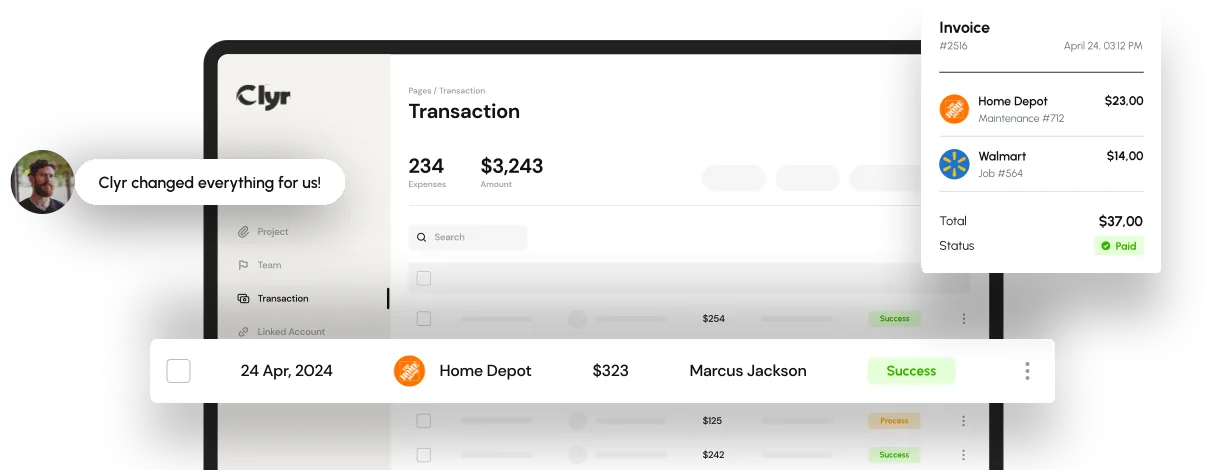
If you'd rather not assemble this by hand, Clyr works with the cards you already have, and expenses carry the job, the cost code, the property or unit and the general ledger account. Its spend insights run daily checks for seven signal types, from round amounts and vendor concentration to budget trends, with findings delivered in a weekly digest. Card approvals in Clyr happen after the purchase, so the money has already left by the time you see it.
FAQs
Not quite. Expense tracking records what was spent, often for taxes or reimbursement, and you can do it monthly and still be correct. Spend visibility adds timing and context: the expense sits next to the job budget and its approval status soon enough to matter. A business can track every expense perfectly and still learn in August that a June job lost money.
Less than software marketing suggests, because nobody is watching a screen at 7 a.m. when the crew hits the supply house. Match it to how fast you can make decisions. A job with daily deliveries deserves a look twice a week. A property manager with 40 units and steady bills may be fine weekly. The test is whether you'll see this purchase before the next similar one gets made.
Start with the people who can change the number. Crew leads should see what's been spent on their own jobs, since buying habits change once people can see the total. Project managers need their jobs in full. If you don't want staff seeing your margin, share the cost budget and leave out the contract price.
The questions are the same, with different labels: property and unit replace job, and the general ledger account does more of the work than a cost code. The extra pressure comes from owners, who want to know why repairs ran high on their building. Seeing a $2,600 plumbing run in the week it happens lets you call the owner then, before it shows up unexplained on a statement.
A growing miscellaneous account is one sign: nobody knows where charges belong. Another is a bookkeeper who spends the first week of each month chasing receipts, doing by hand what a weekly routine should catch. The plainest is job profit that's a surprise at closeout, because the costs arrived too late to act on.