Quick answer: Building a mileage log used to mean downloading a generic spreadsheet template and hoping it covered what the IRS actually checks. AI changes that. Ask ChatGPT or Claude the right way and it will generate a compliant template, write the spreadsheet formulas that do the math, and flag missing fields before you ever open Excel.
This guide walks through what the IRS requires, the current mileage rate, the prompts to paste in, and the record-keeping rules that make a log audit-proof.
- Seven required fields: date, starting location, destination, business purpose, odometer start, odometer end, and total miles for every trip.
- 2025 standard mileage rate: 70 cents per mile for business use; the IRS announces the 2026 rate in December.
- AI builds the template fast: a well-written prompt produces a compliant table and CSV in one pass.
- Contemporaneous logging matters more than format: record trips close to when they happen, not reconstructed months later.
- Keep records at least three years from the filing date, longer if income was understated.
- Spreadsheets work for one driver; teams need automated tracking once multiple vehicles and reimbursements are involved.
What Does an IRS-Compliant Mileage Log Need to Include?
An IRS-compliant mileage log records seven pieces of information for every trip, logged close to the date it happened, not reconstructed from memory. Miss one field and the deduction is the easiest thing for an auditor to disallow.
| Field | Why it's required |
|---|---|
| Date | Ties the trip to a specific business day |
| Starting location and destination | Confirms the route was business, not personal |
| Business purpose | The field auditors check first; specific beats vague |
| Odometer start and end | Backs up the mileage claim with a hard number |
| Miles driven | Calculated from odometer readings, not estimated |
A generic downloaded mileage log template often skips the odometer readings or the business purpose column, because those fields are tedious to fill in by hand. Building your own with AI works better because you can make certain fields mandatory before it hands you the table.
What Is the IRS Standard Mileage Rate for 2026?
The IRS sets a standard mileage rate for business use every year, and for 2025 that rate is 70 cents per mile. The agency typically announces the following year's rate in December, so confirm the current figure directly with the IRS before you file or reimburse anyone for 2026 travel.
The rate matters because it's the multiplier your mileage log uses to calculate a deduction or reimbursement, and it's the one figure in this process that changes every year. Building it into a spreadsheet cell you update annually, rather than typing it into every row, keeps last year's log from silently using the wrong number this year. That single-cell approach is also the backbone of solid employee reimbursements and mileage tracking for any company with drivers on payroll.
Teams handling this at scale generally reimburse at the IRS rate and treat it as non-taxable, or build a flat vehicle allowance into pay. Our breakdown of cost-effective mileage reimbursement strategies covers which one saves more depending on how much driving your team does.
How to Build a Mileage Log Template with AI
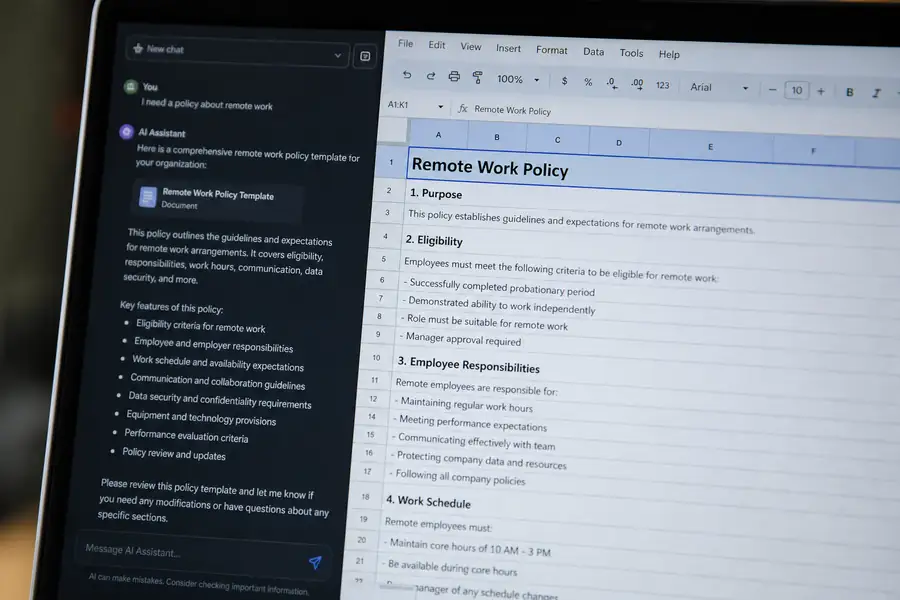
Paste the three prompts below into ChatGPT or Claude in order, and you'll have a compliant mileage log template, the spreadsheet math, and a mistake-proofing checklist in under ten minutes.
Prompt 1: Generate the log
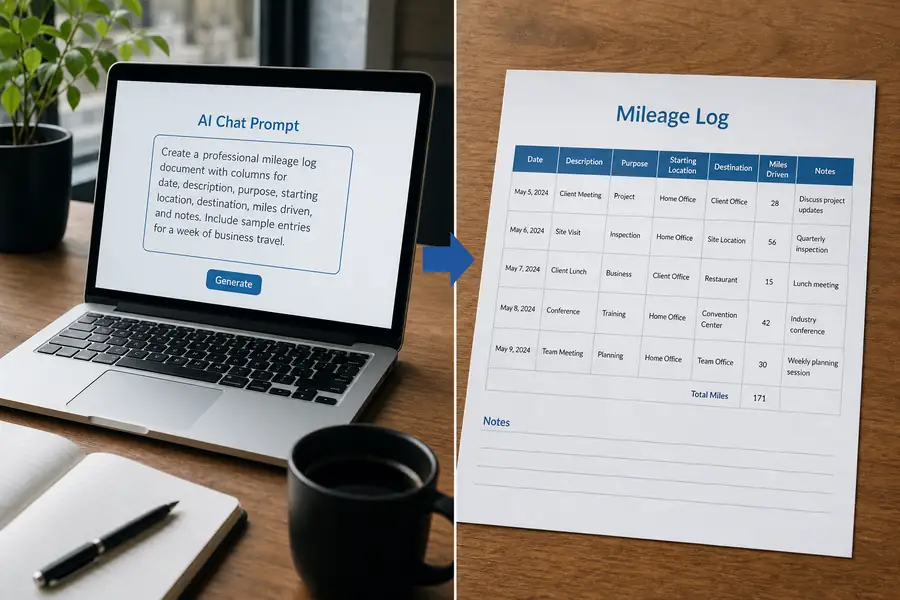
Copy and paste: "Act as a US tax compliance assistant. Create an IRS-compliant mileage log template as a table: Date, Starting location, Destination, Business purpose, Odometer start, Odometer end, Miles (calculated), Rate, Deduction (calculated), Notes. Include a monthly summary section. Output as a markdown table and as CSV for Google Sheets."
Prompt 2: Add the math
Copy and paste: "Write Google Sheets formulas for: auto-calculating miles from odometer readings, deduction per row using a rate cell I can update yearly, monthly and YTD totals, and a check that flags rows missing a business purpose."
Prompt 3: Cover the edge cases
Copy and paste: "List the 10 most common mileage-deduction mistakes (commuting miles, mixed personal/business trips, estimated logs) and add a short do/don't guide I can paste at the top of the log."
From there, iterate the way you would with any assistant: ask it to add a tolls column, split the log by vehicle, or adjust the purpose examples to match your industry.
Automating the Mileage Log Math
Getting the AI's output into a real spreadsheet takes one extra step. Ask the AI for a CSV code block you can import into Google Sheets or Excel, or paste its markdown table straight into a Sheets cell, which usually splits into columns on its own.
Once the data is in, Prompt 2's formulas do the ongoing work: miles calculate automatically from the odometer entries, deductions update the moment you change the rate cell, and the flag column catches any row missing a business purpose before you submit it. A log with several rows saying only "meeting" or "errands" is the pattern auditors are trained to spot, and our guide to optimizing mileage reimbursement covers the specific purpose language that holds up on review.
If you're drafting a mileage policy to go with the log, paste the AI's do/don't guide from Prompt 3 into Google Docs or Word and route it to legal or finance for review before it goes out to your team.
Mileage Log Record-Keeping Rules You Can't Skip
The IRS expects mileage records to be contemporaneous, meaning logged at or near the time of the trip, not rebuilt from memory before filing. A log entered the same week the driving happened carries far more weight on audit than one typed up months later covering the whole prior year.
Keep mileage records for at least three years from the date you file the return that relies on them, and up to six years if there's a chance income was understated by 25% or more. Store the spreadsheet somewhere it survives a laptop swap, not a single local file.
When a Mileage Log Template Isn't Enough
A spreadsheet works fine for one driver tracking their own trips. It breaks down once you have a crew of field techs, property managers, or sales reps all driving on the company's behalf, because someone still has to chase each person for their log and re-enter totals into accounting every month.
Purpose-built expense management software captures mileage and receipts from the field in real time and syncs the totals straight to accounting, so nobody reconciles a dozen spreadsheets at month-end. Clyr does this for teams with drivers on the road: mileage and card spend get captured and coded as they happen, then flow into QuickBooks without anyone re-typing a number.
If your mileage log has outgrown a spreadsheet, book a demo to see how it works for a team your size.
FAQs
Can I use AI to create my mileage log for taxes?
Yes. AI tools like ChatGPT or Claude can generate a mileage log template with all the fields the IRS expects, plus the spreadsheet formulas to calculate miles and deductions. You still need to fill it in with real, contemporaneous trip data; the AI builds the structure, not the record.
What is the IRS standard mileage rate for 2026?
The IRS sets the business mileage rate annually and typically announces it in December for the year ahead. For 2025 the business rate is 70 cents per mile; check the IRS's published rate directly before filing or reimbursing for 2026 travel, since a stated figure can go stale within months.
What happens if my mileage log is missing information?
An incomplete mileage log, one missing the business purpose or odometer readings, is one of the most common reasons the IRS disallows a mileage deduction on audit. Estimated or reconstructed logs also carry much less weight than ones recorded close to when the trip happened.
How long do I need to keep my mileage records?
Keep mileage logs and related receipts for at least three years from the date you file the tax return that relies on them. If there's a chance you understated income by 25% or more, keep them for six years instead.
Is a spreadsheet mileage log enough for a team with multiple drivers?
A spreadsheet can work for one driver but gets hard to manage once several employees are logging mileage, since someone has to collect, check, and re-enter every log by hand. Teams at that stage usually move to automated expense management software that captures mileage without manual entry.