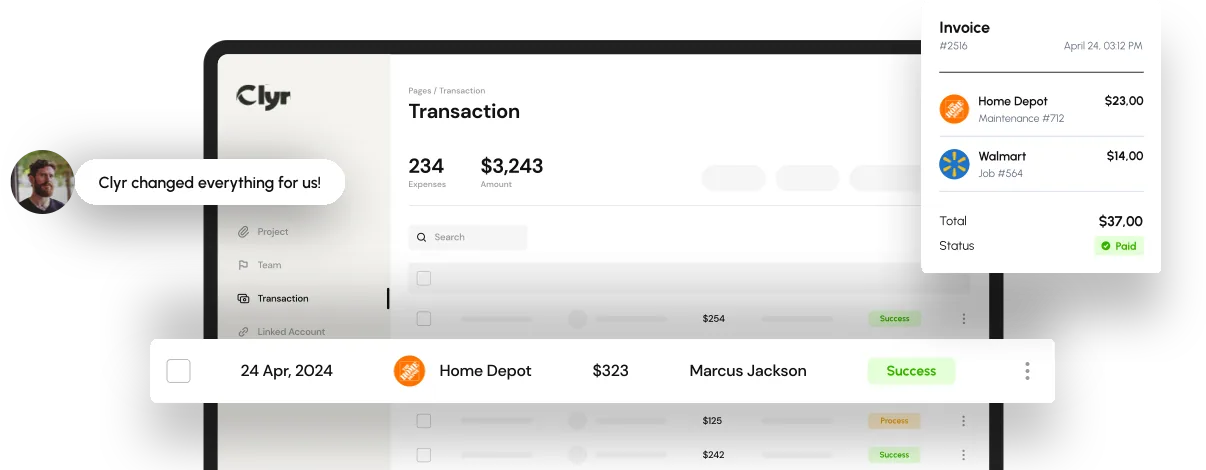

Expense automation has become one of those terms everyone in finance hears constantly, yet few teams truly understand what happens behind the scenes. It’s often described as “automatic expense reports” or “AI handling receipts,” but that simplification hides a complex, carefully designed system that touches transactions, data extraction, policy enforcement, approvals, accounting, and reporting in real time.
Understanding how expense automation actually works matters. Without that clarity, companies risk choosing the wrong tools, underestimating implementation effort, or expecting outcomes the system was never designed to deliver. This article breaks down expense automation step by step, explains the role of AI expense automation in modern platforms, and shows how expense report automation software replaces manual workflows with reliable, scalable processes.
Key Takeaways
- Expense automation replaces manual receipt handling, coding, approvals, and reconciliation with real-time workflows
- AI expense automation goes beyond OCR, learning how your business categorizes and approves expenses
- Modern expense report automation software integrates directly with cards, banks, and accounting systems
- Automation improves accuracy, visibility, compliance, and month-end close speed
- Successful automation depends on data quality, rules, and integration, not just technology

What Expense Automation Really Means
At its core, expense automation is the process of capturing, categorizing, approving, and recording expenses without manual data entry. Instead of employees filling out reports and finance teams retyping information, the system handles each step automatically as expenses occur.
Expense automation is not a single feature. It is a connected workflow that starts the moment a transaction happens and ends when that transaction is fully reconciled in the general ledger. The value comes from eliminating delays, errors, and blind spots that plague manual expense processes.
In modern platforms, expense automation operates continuously, not in monthly cycles. Expenses are processed as they happen, creating real-time financial visibility rather than retrospective reporting.
Step 1: Capturing Expense Data at the Source
The first step in expense automation is data capture. This is where many companies misunderstand the process. Automation does not begin with a receipt upload. It begins with the transaction itself.
When an employee uses a credit card or bank account connected to the system, the transaction data flows in automatically. This includes the merchant name, amount, currency, time, and cardholder. Expense automation systems monitor these feeds continuously.
Receipts are captured in parallel. Employees can submit receipts by SMS, email, mobile app, or web upload. In advanced expense report automation software, reminders are triggered automatically when a transaction appears without a receipt attached.
By capturing transaction data and receipts simultaneously, expense automation eliminates the guesswork and chasing that defines manual workflows.
Step 2: AI-Powered Receipt Extraction
Once a receipt is submitted, AI expense automation takes over. Optical character recognition extracts key data points such as merchant name, total amount, tax, date, and line items. But OCR alone is not what makes the system intelligent.
AI expense automation validates the receipt data against the transaction feed. It checks whether the amounts match, whether the merchant aligns, and whether the timing makes sense. If discrepancies appear, the system flags them automatically.
This step alone removes hours of manual verification work. Finance teams no longer need to cross-check receipts against bank statements line by line.
Step 3: Intelligent Expense Categorization
This is where expense automation becomes truly valuable. Categorization is not just about assigning a generic expense type. It involves coding expenses to accounts, projects, jobs, departments, clients, or properties.
AI expense automation analyzes historical patterns. It learns how your organization codes expenses based on merchant, employee, project, and context. Over time, the system predicts the correct coding with increasing accuracy.
Expense report automation software uses these predictions to automatically assign categories the moment an expense is captured. Manual overrides are still possible, but they become the exception rather than the rule.
This learning capability is what separates basic automation from modern AI expense automation platforms.
Step 4: Policy Enforcement in Real Time
Expense automation enforces company policies automatically. Instead of reviewing expenses after submission, rules are applied as expenses occur.
Policies can include spending limits, restricted merchants, required receipts, project budgets, or approval thresholds. When an expense violates a rule, the system flags it immediately or routes it for additional approval.
This proactive enforcement prevents problems instead of documenting them later. Employees receive instant feedback, and finance teams avoid uncomfortable retroactive corrections.
Expense automation transforms policy compliance from a policing function into a built-in safeguard.
Step 5: Automated Approval Workflows
Approvals are often the slowest part of expense management. Expense automation replaces email chains and spreadsheets with structured workflows.
Approval rules are defined in advance based on amount, category, department, or project. When an expense enters the system, it is routed automatically to the right approver.
Approvers receive notifications with all relevant information already attached: receipt, coding, policy status, and context. One click approves or rejects the expense.
This step significantly reduces cycle time. Expense report automation software can process approvals in hours instead of weeks.
Step 6: Accounting Integration and Reconciliation
Once approved, expense automation pushes data directly into the accounting system. Accounts, classes, projects, and tax treatments are already assigned, eliminating manual journal entries.
Two-way integrations ensure that updates flow both directions. If something changes in accounting, the expense record stays aligned.
This automation removes one of the biggest sources of month-end delays. Finance teams no longer wait for expense reports to be finalized before closing the books.
Step 7: Real-Time Reporting and Insights
The final stage of expense automation is reporting, but it is no longer an afterthought. Because data is processed continuously, reports reflect current reality, not last month’s activity.
Expense report automation software provides dashboards for spending by category, project, department, or time period. AI expense automation can also surface anomalies, trends, and cost-saving opportunities.
This visibility turns expense data into a strategic asset rather than an administrative burden.
Common Mistakes Companies Make with Expense Automation
One common mistake is assuming that OCR equals automation. OCR is only one component. Without transaction matching, rules, approvals, and integration, the process remains fragmented.
Another mistake is underestimating data quality. AI expense automation depends on clean historical data and clear policies. Without them, predictions will be unreliable.
Finally, some teams automate without redesigning their workflow. Expense automation works best when old manual habits are replaced, not preserved digitally.
How Expense Automation Scales with Business Growth
As companies grow, expense volume increases faster than headcount. Manual processes break under that pressure. Expense automation scales because rules and AI models handle increased volume without additional effort.
This scalability is especially important for businesses with distributed teams, field workers, or multiple cards. Expense automation ensures consistency regardless of location or role.

Why AI Expense Automation Is the Turning Point
Traditional automation relied on static rules. AI expense automation adapts. It learns from behavior, improves accuracy, and reduces manual intervention over time.
This adaptability is why modern expense platforms deliver compounding returns. The longer they run, the less work finance teams need to do.
Expense automation is no longer about speed alone. It is about intelligence, control, and trust in the data.
Looking Ahead: The Future of Expense Automation
Expense automation is moving toward fully autonomous workflows. Systems will not just process expenses but predict budget overruns, suggest policy updates, and optimize spending patterns proactively.
AI expense automation will increasingly connect expense data with forecasting, cash flow planning, and profitability analysis. Expense management will shift from reactive reporting to real-time financial steering.
How Expense Automation Comes Together in Practice
Expense automation works by connecting transactions, receipts, AI-driven extraction, intelligent coding, policy enforcement, approvals, accounting integration, and real-time reporting into a single continuous workflow. When implemented correctly, it eliminates manual effort, reduces errors, and gives finance teams immediate visibility into spending.
Platforms like Clyr demonstrate how modern expense automation can operate at scale, combining AI expense automation with deep integrations and real-time controls to support growing, distributed businesses.
Expense tracking records expenses after they happen. Expense automation processes, validates, approves, and records expenses in real time with minimal manual input.
Yes, when implemented correctly. Modern platforms use encryption, access controls, and audit trails while applying AI only to classification and validation tasks.
Most modern systems can be implemented in weeks, depending on integrations and policy complexity.
Yes. Many platforms support personal cards, bank accounts, and mixed environments.
No. It shifts finance teams from manual processing to oversight, analysis, and strategic decision-making.