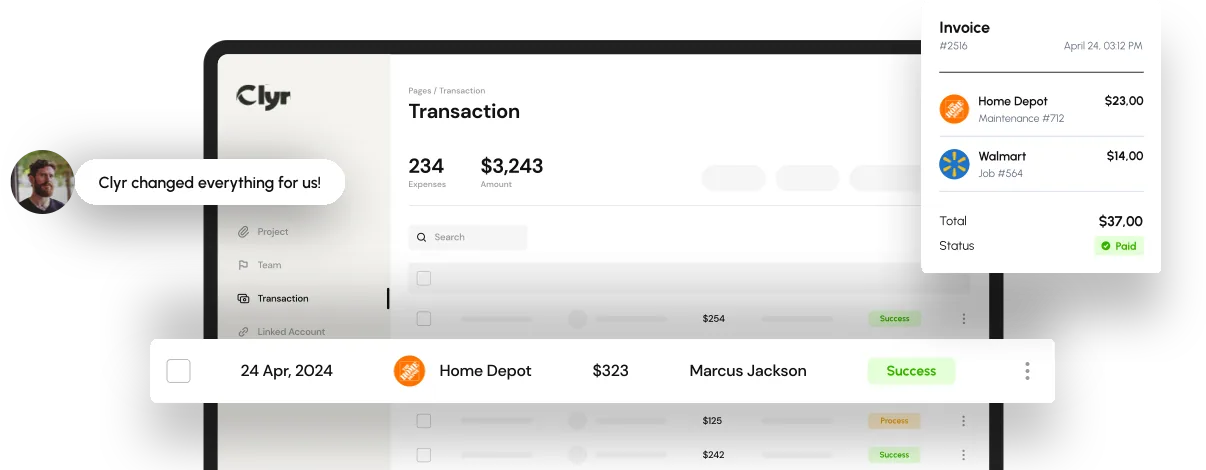

In the fast-evolving world of business finance, manual expense reporting has become a thing of the past. The shift toward expense report automation has revolutionized how companies manage, approve, and analyze employee spending. From reducing errors to saving time, automated expense reporting ensures accuracy, transparency, and compliance - all while freeing finance teams to focus on strategic decisions.
What Is Expense Report Automation?
Expense report automation is the use of software to streamline the process of capturing, submitting, approving, and reimbursing business expenses. Instead of relying on paper receipts, spreadsheets, or emails, employees can use automation platforms to instantly record expenses. These systems automatically extract data, categorize transactions, and sync information directly with accounting software.
For example, platforms like Clyr allow employees to submit receipts via SMS or email, while AI-powered tools match receipts to corresponding transactions. This not only reduces human error but also accelerates the reimbursement cycle.

How Expense Report Automation Works
Modern expense report automation software typically includes the following features:
- Receipt Capture and OCR Technology - Employees photograph receipts, and the software extracts merchant names, amounts, and dates automatically using Optical Character Recognition (OCR).
- Automatic Expense Categorization - AI assigns expenses to appropriate categories (e.g., travel, meals, office supplies) based on historical data and business rules.
- Real-Time Transaction Matching - The system automatically pairs receipts with corresponding credit card or bank transactions.
- Policy Enforcement and Approval Flows - Built-in rules ensure compliance with corporate policies and send expenses through the correct approval hierarchy.
- Seamless Integrations - Integration with ERP and accounting platforms like QuickBooks, Xero, or NetSuite ensures that data flows smoothly across systems.
- Analytics and Reporting - Automated dashboards provide real-time visibility into spending patterns, budget utilization, and compliance metrics.
These capabilities make expense reporting virtually hands-free, reducing friction across departments.
Benefits of Expense Report Automation
1. Time Savings
Manual expense reports can take several hours per employee each month. Automation reduces this process to minutes by eliminating repetitive data entry and approval bottlenecks.
2. Enhanced Accuracy
By relying on AI-driven data extraction and matching, businesses minimize manual errors. According to Clyr, automation can reduce expense-related inaccuracies by up to 90%.
3. Improved Financial Control
Automated systems offer real-time visibility into spending, allowing finance leaders to monitor budgets, detect anomalies, and take corrective action instantly.
4. Faster Reimbursements
Employees benefit from quicker reimbursements as automated workflows remove delays caused by lost receipts or manual reviews.
5. Compliance and Policy Enforcement
Expense report automation software applies company policies automatically, flagging out-of-policy expenses and ensuring audit readiness.
6. Cost Reduction
By reducing manual labor, errors, and processing times, companies can save significant administrative costs. Clyr users, for instance, report saving over 70 hours of accounting time monthly.

Real-World Use Cases
For Service-Based Companies
Field teams can capture receipts instantly via mobile devices. Automation matches transactions and ensures projects stay within budget.
For Construction and Manufacturing
Automated job costing and real-time expense tracking help maintain budget control and optimize profit margins.
For Non-Profits
Organizations can ensure transparency and compliance with donor funding by categorizing expenses according to grants and projects.
For Bookkeepers and Accounting Firms
Multi-client dashboards enable bookkeepers to manage numerous accounts efficiently, providing faster, more accurate reporting to clients.
Common Mistakes to Avoid
- Failing to Define Approval Hierarchies
Without structured workflows, automation can create confusion. Clearly outline expense approval chains to maintain accountability. - Neglecting Integration
Automation only delivers full value when it connects seamlessly with your accounting, payroll, and ERP systems. - Overlooking Policy Customization
Generic rules may not align with every department’s needs. Customize approval thresholds and spending limits. - Ignoring Employee Training
Even the most advanced software fails if employees don’t understand how to use it effectively. Provide onboarding sessions and clear guidance. - Not Leveraging Analytics
Many companies automate expense collection but neglect to analyze data for spending insights. Real-time analytics can reveal inefficiencies and opportunities for savings.
Future Trends in Expense Report Automation
- AI-Driven Predictive Insights
Next-generation platforms use machine learning to predict spending behavior, optimize budgets, and identify anomalies before they happen. - Full Mobile-First Workflows
With remote and hybrid work becoming the norm, mobile-based expense management tools are expected to dominate. - Integration with Corporate Cards
Direct card integrations eliminate the need for manual reconciliation, providing real-time expense data and control. - Automated Tax and Compliance Reporting
AI will soon handle tax categorization and generate compliance-ready audit trails automatically. - Sustainability and ESG Tracking
Future solutions will also help businesses track environmentally responsible spending and carbon offset initiatives.
Expert Tips for Implementing Expense Report Automation
- Start Small: Pilot the software with one department before rolling it out company-wide.
- Choose Customizable Software: Select solutions that allow you to adapt rules to your organization’s structure.
- Prioritize Integration: Ensure compatibility with your existing accounting and CRM tools.
- Encourage Employee Adoption: Make mobile apps and submission methods as easy as sending a text message.
Monitor and Optimize: Regularly review reports and feedback to refine workflows and identify bottlenecks.
Why Expense Report Automation Is a Strategic Advantage
In today’s competitive business environment, efficiency isn’t just about saving time - it’s about enabling smarter decisions and better control. Expense report automation delivers that edge by providing finance teams with instant insights, error-free data, and the ability to act proactively rather than reactively.
Instead of chasing missing receipts or manually verifying compliance, automated systems like Clyr turn expense reporting into a continuous, intelligent process that supports your organization’s financial goals. From real-time analytics to AI-driven accuracy, automation empowers companies to operate leaner, smarter, and more transparently - making it not just a finance tool, but a strategic business advantage.
Frequently Asked Questions
It eliminates manual data entry, reduces errors, and speeds up the reimbursement process, improving both accuracy and employee satisfaction.
Yes. Even startups can save significant time and resources by automating recurring expense processes.
Leading platforms use encryption and multi-factor authentication to protect financial data and comply with industry standards.
Most modern software integrates with accounting tools such as QuickBooks, Xero, NetSuite, and ERPs like SAP or Oracle.
Pricing varies depending on the number of users and features, but automation typically reduces administrative costs enough to yield a fast ROI.