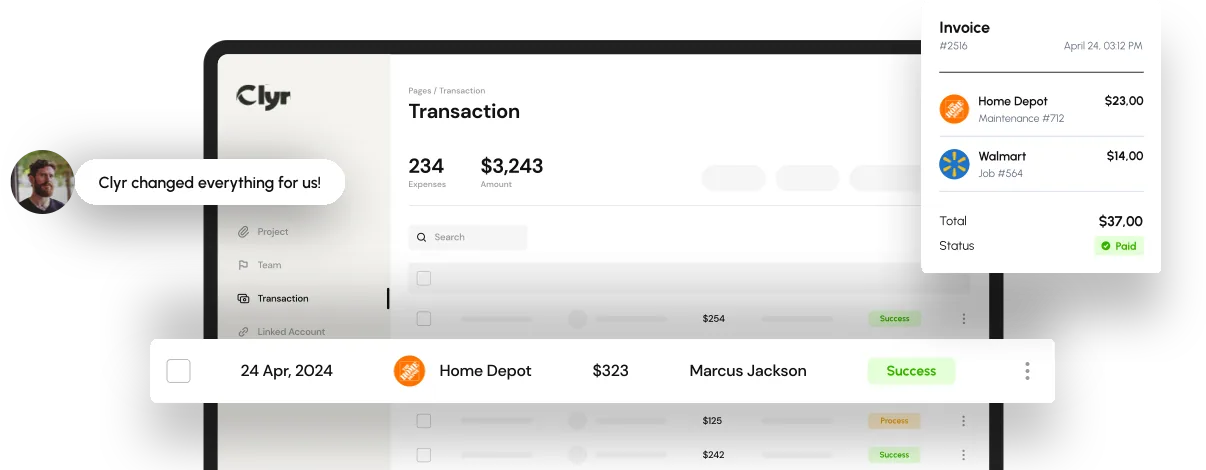

Running projects without accurate cost visibility is one of the fastest ways for margins to erode. Materials arrive late, labor runs long, and expenses land in accounting long after the job is done. Job costing software was built to close this gap by connecting real-world spending to real-time project data, so businesses can see exactly where money is going while there’s still time to act.
When costs are tracked after the fact, teams can only react. With modern job costing software, costs are tracked as they happen. Every receipt, bill, labor hour, and vendor payment is tied directly to a job, phase, or cost code. The result is control, accuracy, and confidence in every project decision.
Key Takeaways
- Job-level cost visibility prevents margin erosion before it happens
- Real-time tracking replaces delayed, manual cost reporting
- Accurate job costing improves pricing, forecasting, and profitability
- Automated systems reduce errors and administrative workload
- Integrated platforms align finance, operations, and field teams

What Is Job Costing Software and Why It Matters
Job costing software is a financial system designed to track all project-related costs in one place. Unlike general accounting tools, it assigns expenses directly to specific jobs, work orders, properties, or projects.
This includes:
- Labor hours and payroll allocations
- Materials and equipment purchases
- Vendor invoices and utility bills
- Subcontractor costs
- Travel and field expenses
Instead of reviewing costs weeks later during month-end close, teams using job costing software see actual spend compared to budget in real time. This shift from hindsight to foresight is what makes the software essential for project-based businesses.
Industries that rely heavily on accurate job costing include construction, home services, field service companies, property management, manufacturing, event production, and professional services.
Job Costing Software for Construction and Field Service Projects
Construction and field service businesses operate in fast-moving environments where costs are incurred daily in the field. Traditional spreadsheets and manual receipt collection simply cannot keep up.
Job costing software for construction and field service projects centralizes expense capture from job sites, service vehicles, and vendors. Receipts submitted via mobile devices are automatically coded to jobs and synced with accounting systems.
This eliminates common issues such as:
- Lost or delayed receipts
- Incorrect cost allocations
- Incomplete job profitability reports
- Surprises at project close
With platforms like Clyr, job costs are captured in real time through automated receipt capture, transaction matching, and AI-powered coding. Field teams spend less time on paperwork, while finance teams gain reliable data without chasing information.
How Job Costing Software Tracks Costs in Real Time
At its core, job costing software works by connecting spending activity directly to job records. The process typically follows these steps:
- A transaction occurs using a company card or bank account
- The system sends an instant notification to the spender
- A receipt is submitted via SMS, email, or mobile upload
- AI extracts data and assigns it to the correct job and category
- The expense syncs automatically with accounting software
This flow ensures that every dollar is recorded accurately at the moment it’s spent. When job managers review budgets, they are looking at live data, not estimates or outdated reports.
The result is tighter budget control and faster financial close cycles.
Job Costing Software and Budget Control
Budget overruns rarely happen all at once. They happen slowly, unnoticed, until it’s too late. Job costing software prevents this by comparing actual costs against budgets continuously.
Key budget control benefits include:
- Early alerts for overspending
- Visibility into cost variances by phase or category
- Clear tracking of committed vs. actual costs
- Accurate forecasting for remaining work
With real-time insights, managers can adjust labor schedules, renegotiate vendor pricing, or revise scopes before profitability is impacted.
Job Costing Software vs Manual Job Costing
Manual job costing relies on spreadsheets, delayed data entry, and human interpretation. This approach introduces risk at every step.
Common manual job costing problems:
- Inconsistent data formats
- Delayed cost recognition
- High error rates
- Time-consuming reconciliations
Job costing software replaces these processes with automation. Receipts are captured instantly, transactions are matched automatically, and costs are assigned consistently across all jobs.
The difference is not just speed, but reliability. Automated systems reduce errors dramatically while freeing teams to focus on operations rather than data cleanup.
Job Costing Software for Multi-Project Businesses
Businesses managing dozens or hundreds of active jobs face additional complexity. Costs must be tracked separately while maintaining a clear company-wide view.
Job costing software for multi-project businesses provides:
- Centralized dashboards across all jobs
- Drill-down views by project, client, or location
- Standardized cost codes across teams
- Scalable workflows for growing operations
This structure ensures consistency even as project volume increases. Platforms like Clyr are designed to scale without forcing teams to change cards, banks, or accounting systems.
Integration Capabilities in Job Costing Software
Integration is critical. Job costing software should not exist in isolation. It must connect seamlessly with accounting, ERP, CRM, and payroll systems.
Strong integration capabilities allow:
- Automatic syncing with QuickBooks, Xero, and ERP platforms
- Elimination of duplicate data entry
- Accurate financial reporting across systems
- Faster month-end and year-end closes
Clyr’s two-way integrations ensure job costing data flows cleanly between systems, keeping finance and operations aligned at all times.
Job Costing Software and Profitability Analysis
Understanding profitability requires more than knowing total revenue and total cost. Job costing software breaks profitability down at the job level.
This allows businesses to:
- Compare estimated vs actual costs
- Identify high-margin and low-margin job types
- Improve future pricing accuracy
- Optimize resource allocation
Over time, this data becomes a strategic asset. Companies using job costing software make better bidding decisions and avoid repeating unprofitable work.
Common Mistakes When Choosing Job Costing Software
Even with good intentions, businesses often make mistakes when selecting job costing software.
Common pitfalls include:
- Choosing accounting software without true job-level costing
- Overlooking mobile and field usability
- Ignoring integration limitations
- Underestimating implementation support needs
- Selecting tools that force proprietary cards or accounts
The best solutions adapt to existing workflows rather than forcing disruptive changes.
Future Trends in Job Costing Software
The next generation of job costing software is becoming smarter and more predictive.
Key trends include:
- AI-driven cost predictions
- Automated anomaly detection
- Real-time profitability forecasting
- Deeper integration with project management tools
- Expanded automation for accounts payable and billing
Clyr is already leveraging AI to automate coding, detect errors, and provide real-time financial intelligence, positioning businesses for future growth.
Why Modern Businesses Choose Clyr for Job Costing Software
Clyr delivers job costing software designed for real-world operations. It combines automated expense capture, real-time job tracking, and seamless integrations into one unified platform.
Businesses benefit from:
- Faster receipt-to-close cycles
- Accurate job-level cost visibility
- Reduced administrative workload
- Improved profitability and forecasting
By automating the most time-consuming aspects of job costing, Clyr enables teams to focus on execution, not cleanup.
FAQs
A financial system that tracks every project-related cost in one place: labor hours and payroll allocations, materials and equipment, vendor invoices and utility bills, subcontractor costs, and travel or field expenses, all tied to the job that incurred them.
It connects spending to job records as it happens. A card transaction triggers an instant notification, the receipt is submitted by SMS, email or mobile upload, and AI extracts the data and assigns it to the correct job and category before anyone gets back to the office.
Manual job costing depends on spreadsheets, delayed data entry and human interpretation, which introduces risk at every handoff. Automated systems capture receipts instantly, match transactions automatically and code costs consistently across every job - the gain is reliability as much as speed.
The accounting system first - QuickBooks, Xero or an ERP - plus CRM and payroll where relevant. Two-way sync matters: job costing data has to flow both directions so finance and operations are looking at the same numbers rather than reconciling two versions.
Buying tools that force proprietary cards or bank accounts, and picking systems that require the team to change how they already work. The better solutions adapt to existing workflows instead of imposing new ones, because a tool people work around stops producing reliable cost data.